AI Tools Every Student Must Know in 2026 (And How to Actually Use Them)
Let's skip the hype. Every article in 2026 will tell you "AI is changing everything." You already know that. What you probably don't know is which AI tools are actually getting students hired right now - and what you need to do with them to stand out in interviews. This guide cuts straight to those tools, explains what each one does in plain language, and tells you exactly how to build a skill around it.
QUICK ANSWER - FEATURED SNIPPET
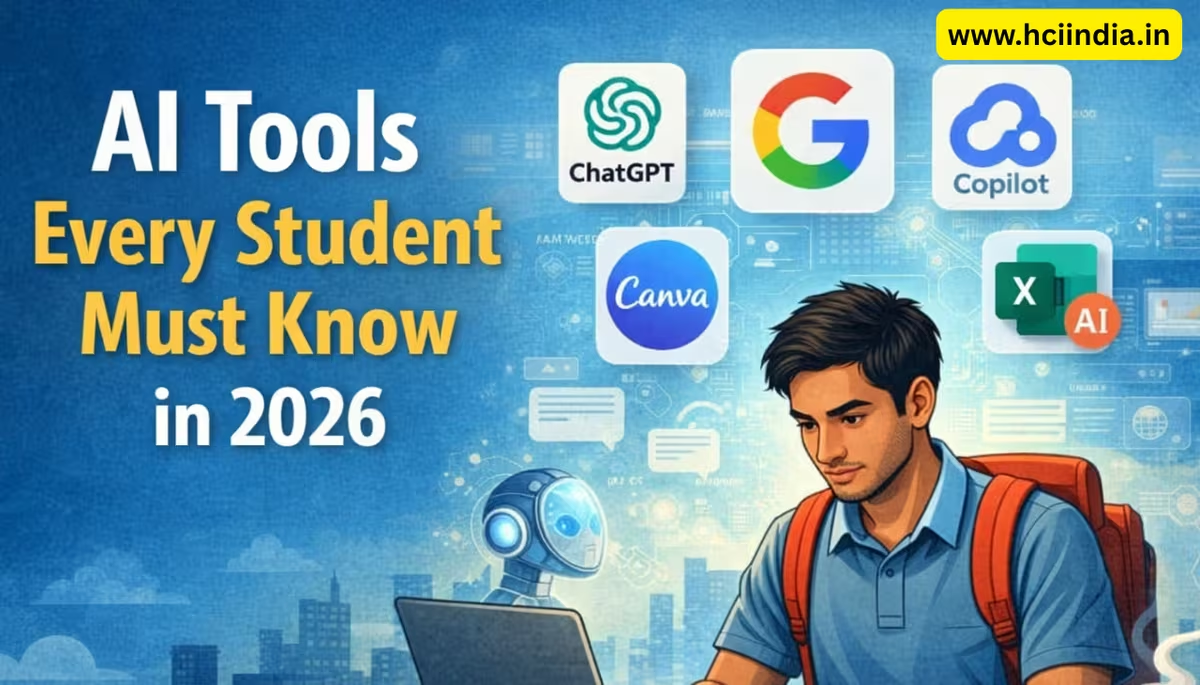
The AI tools students must know in 2026 are ChatGPT, Google Gemini, Microsoft Copilot, Canva AI, and Excel's AI features. These tools are now standard in Indian workplaces across IT, finance, and business operations. Students who can use them confidently - not just casually - get shortlisted faster by companies like TCS, Wipro, and Genpact.
| 3.8L+ AI job postings in India, 2026 | 32% YoY growth in AI-linked roles | 73% Employers hiring freshers in H1 2026 |
Why AI Skills Matter Right Now (Not Next Year)
Here's something that caught even our trainers off guard. In early 2026, LinkedIn released its Grads' Guide and found that AI Specialist and Generative AI Engineer are now among the fastest-growing job titles in India - not just in Bengaluru or Hyderabad, but across smaller cities too. The report specifically mentioned that hiring is expanding beyond metros, which means students from J&K, Punjab, and Tier 2 cities are no longer at a disadvantage if they have the right skills.
The number that sticks: AI-linked job postings in India are on track to hit 3.8 lakh positions in 2026 - a 32% jump from 2025. Fourteen percent of all Indian job postings now mention AI skills. A year ago it was 12.8%. That's a fast-moving shift.
What does this mean for you? It means "I know computers" is no longer enough to get noticed. But "I can use ChatGPT to draft reports, clean data in Excel with Copilot, and design presentations in Canva AI" - that's a sentence that gets callbacks.
The 5 AI Tools That Are Actually Getting Students Jobs
These aren't the flashiest tools or the most technically advanced. They're the ones that keep showing up in job descriptions, placement interviews, and on-the-job tasks that freshers are expected to handle from day one.
TOOL 01: ChatGPT
OpenAI's flagship model. Write emails, summarise documents, draft reports, brainstorm ideas, answer customer queries.
Used in: BPO, content, admin, HR
TOOL 02: Microsoft Copilot
AI inside Word, Excel, and Outlook. Summarise spreadsheets, auto-write emails, generate slide content in seconds.
Used in: IT, finance, operations
TOOL 03: Google Gemini
Google's AI assistant inside Docs, Sheets, and Gmail. Similar to Copilot but within the Google Workspace ecosystem.
Used in: Startups, education, media
TOOL 04: Canva AI
Design posters, presentations, and social media graphics using prompts. No design degree needed.
Used in: Marketing, SMBs, e-commerce
TOOL 05: Excel AI Features
Analyse data using natural language in Excel 2021 and Microsoft 365. Ask questions, get charts, spot trends.
Used in: Accounts, logistics, banking
You'll notice these are all tools your employer is already using. That's the point. Students who walk into an interview having actually worked with Copilot or ChatGPT don't need to explain what AI is - they can show what they've done with it.
How to Build a Real Skill (Not Just Browse the Interface)
Here's the part most students miss. Using an AI tool once or twice doesn't count as a skill. What counts is knowing when to use it, how to prompt it well, and how to check whether the output is correct.
Take ChatGPT. Students who get results from it don't just type "write me a report." They write structured prompts:
"You are a data entry executive.
    Draft a professional email to a client explaining a 2-day invoice delay.
    Keep it under 80 words. Formal tone."
That specificity is what separates a usable output from a generic one. Prompt engineering - the skill of writing clear, structured instructions for AI - is now appearing in job descriptions at companies like Accenture and Cognizant.
With Excel's AI features, it's not just about knowing the button exists. It's about understanding what question to ask. "What's the trend in sales for Q1 vs Q2?" gives you a chart instantly - but only if you've organised your data cleanly first. That setup knowledge is what makes the AI useful. And that's exactly what we teach in our ADCA (AI Integrated) course at HCI - real-world data handling alongside the AI tools that work on top of it.
What About Students Who Aren't from a Tech Background?
This comes up a lot. Commerce students, arts students, Class 12 freshers - they often assume AI tools are only for engineers. That's completely wrong.
Canva AI, for instance, requires zero coding knowledge. You describe what you want - "a professional flyer for a tax filing service, blue and white, clean layout" - and the tool builds a starting point you refine. Businesses in Jammu, Ludhiana, Delhi - they're all using this for marketing material. Knowing it gives you an edge in any admin, marketing, or small business role.
Similarly, Tally Prime's newer versions (4.0 onwards) include AI-assisted data entry suggestions and error flagging. If you're learning accounting and want to work in GST filing or payroll, combining Tally Prime skills with basic AI literacy is a combination very few freshers currently have. Our ADFA course covers exactly this - Tally Prime, Marg ERP, and the AI features being rolled out in financial software.
"Students from our 2025 batches who added AI tools to their resume alongside Tally or MS Office consistently received more callbacks. It's not a replacement skill - it's a multiplier."
A Practical 4-Week Start Plan
You don't need months to get started. Here's a realistic plan for a student with two hours a day.
- Week 1: Set up free accounts on ChatGPT and Google Gemini. Spend one hour each day giving them real tasks - summarise a newspaper article, write a formal email, explain a concept you're studying. Notice what works and what doesn't. Write down 5 prompt patterns that gave you useful results.
- Week 2: Open Microsoft Excel (2021 or 365 if you have it) and explore the "Analyze Data" button under the Home tab. Feed it a simple table - even 20 rows of mock sales data works. Ask it questions in plain English and study the charts it generates. Cross-check one output manually to understand what it's actually doing.
- Week 3: Create a free Canva account and build one full project - a CV, a presentation, or a business flyer - using Canva AI's Magic Design and Magic Write features. Don't use a template directly; describe what you want and let the AI suggest a starting layout.
- Week 4: Combine them. Take a real-world scenario - you're a billing assistant at a small firm, and you need to draft a client email, update a payment tracker in Excel, and create a one-page report summary. Use ChatGPT for the email, Excel AI for the tracker, and Canva for the report layout. Time yourself. That workflow is exactly what entry-level roles in 2026 expect.
Students who've done this kind of practical work before joining our MDCAA course (most students get this done in their first batch orientation week) move much faster through the advanced Excel and AI modules because they already have intuition for how these tools behave.
Will AI Replace Fresher Jobs in India?
This is the question everyone is actually asking, just not out loud. The short answer: some tasks, yes. Entire jobs, not anytime soon - and the reason is instructive.
AI automates repetitive, rule-based steps. It does not handle relationship management, contextual judgment, compliance navigation, or customer emotion. A fresher who knows AI can do the repetitive parts faster, which frees up time for the judgment-based parts. That makes them more valuable, not redundant. The companies getting left behind are the ones whose employees don't know how to use these tools - not the ones using them.
The World Economic Forum's data is clear on this: AI and big data will be the fastest-growing skills over the next five years. Demand for AI Specialists is up 40% year on year. The skill gap in India is still enormous - which is exactly why freshers who show up with practical AI skills get hired.
Thinking about adding real AI skills to your resume before your next job application?
HCI's ADCA course is built for exactly this - AI tools, MS Office, and cybersecurity in one 12-month program.
No pressure. No sales pitch. Just honest advice from our senior counsellors.