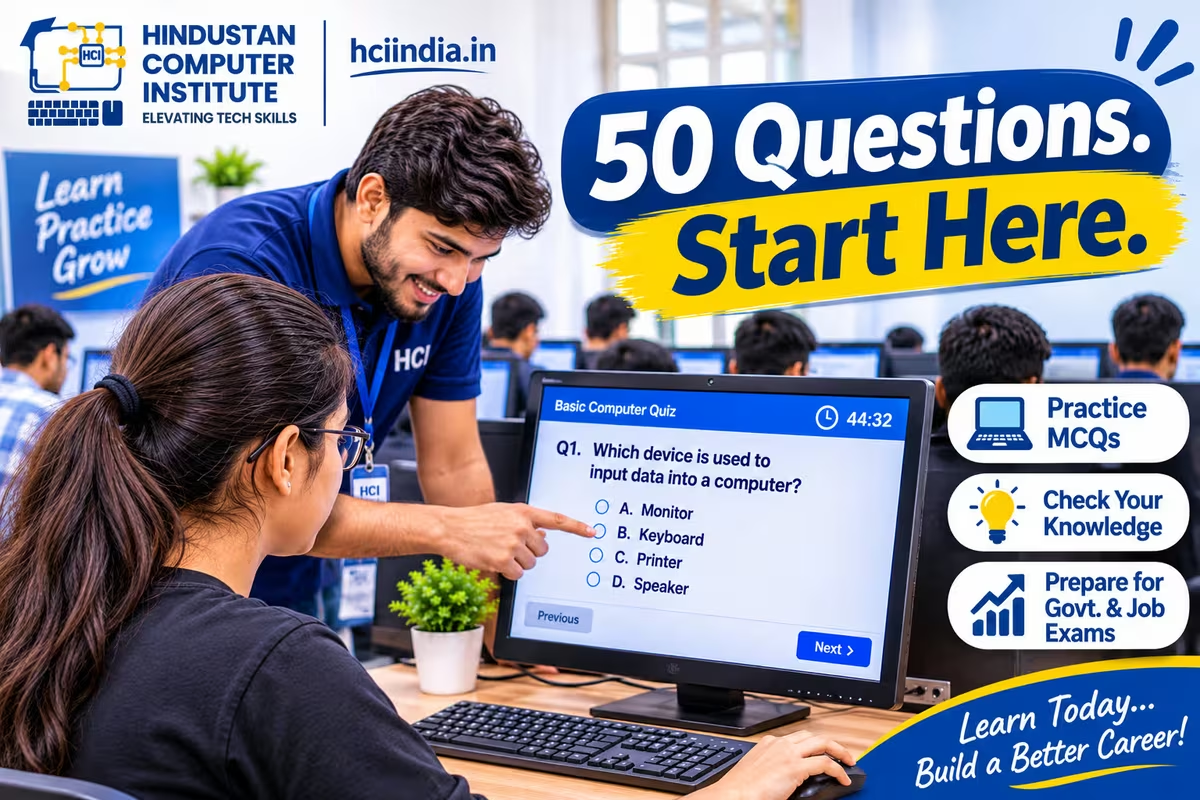
This basic computer quiz has 50 multiple-choice questions covering hardware, software, operating systems, MS Office, the internet and online safety. It is written for beginners and for anyone preparing for the computer awareness section of a competitive exam. Answers are alongside each question, so cover that column first.
Who this basic computer quiz is for
Three groups get value from this. School and college students building foundations. Job seekers facing a computer awareness section in a written test. And anyone who has just finished a beginner course and wants to check what actually stuck.
If you are specifically preparing for the NIELIT CCC exam, this is a useful warm-up but not the right test. Go to our CCC-specific practice set instead, which is weighted to the actual paper and uses LibreOffice rather than generic MS Office references.
Part 1: Hardware and basics (Q1–15)
| # | Question | Options | Answer |
|---|---|---|---|
| 1 | What does CPU stand for? | a) Central Processing Unit b) Computer Personal Unit c) Central Program Unit d) Control Panel Unit | a) Central Processing Unit |
| 2 | Which is called the brain of the computer? | a) RAM b) CPU c) Monitor d) Hard disk | b) CPU |
| 3 | How many bits make one byte? | a) 4 b) 8 c) 16 d) 32 | b) 8 |
| 4 | 1 MB equals how many KB? | a) 100 b) 512 c) 1024 d) 2048 | c) 1024 |
| 5 | Which memory loses its contents when power is off? | a) ROM b) RAM c) Hard disk d) CD | b) RAM |
| 6 | Which of these is an input device? | a) Printer b) Speaker c) Microphone d) Monitor | c) Microphone |
| 7 | Which of these is an output device? | a) Scanner b) Projector c) Keyboard d) Mouse | b) Projector |
| 8 | A pen drive is an example of | a) Primary memory b) Secondary storage c) Processor d) Input device | b) Secondary storage |
| 9 | The binary number system uses which digits? | a) 0 and 1 b) 0 to 9 c) 1 to 10 d) A to F | a) 0 and 1 |
| 10 | Which is the largest unit among these? | a) Kilobyte b) Megabyte c) Gigabyte d) Terabyte | d) Terabyte |
| 11 | A motherboard is | a) The main circuit board b) A type of memory c) An input device d) Software | a) The main circuit board |
| 12 | UPS stands for | a) Uninterruptible Power Supply b) Universal Power System c) Unified Power Source d) Utility Power Supply | a) Uninterruptible Power Supply |
| 13 | Which device converts printed text into digital form? | a) Printer b) Scanner c) Plotter d) Speaker | b) Scanner |
| 14 | A touchscreen is | a) Only an input device b) Only an output device c) Both input and output d) Neither | c) Both input and output |
| 15 | ROM stands for | a) Read Only Memory b) Random Output Memory c) Rapid Online Memory d) Read Open Memory | a) Read Only Memory |
Part 2: Software and operating systems (Q16–27)
| # | Question | Options | Answer |
|---|---|---|---|
| 16 | Which is an operating system? | a) MS Word b) Windows c) Excel d) Chrome | b) Windows |
| 17 | The two main types of software are | a) System and application b) Input and output c) Hard and soft d) Free and paid | a) System and application |
| 18 | Which of these is application software? | a) Linux b) Windows c) MS Excel d) Android | c) MS Excel |
| 19 | Deleted files in Windows go to | a) My Documents b) Recycle Bin c) Downloads d) Desktop | b) Recycle Bin |
| 20 | Which key renames a selected file in Windows? | a) F1 b) F2 c) F5 d) F8 | b) F2 |
| 21 | Shortcut to close the active window | a) Alt+F4 b) Ctrl+W c) Shift+F4 d) Ctrl+Q | a) Alt+F4 |
| 22 | Shortcut to show the desktop | a) Win+D b) Ctrl+D c) Alt+D d) Shift+D | a) Win+D |
| 23 | Open source software means | a) Free to view and modify the source code b) Always expensive c) Only for companies d) Cannot be copied | a) Free to view and modify the source code |
| 24 | Which is used to organise files? | a) Folders b) Fonts c) Icons d) Pixels | a) Folders |
| 25 | Booting means | a) Starting the computer b) Shutting down c) Printing d) Deleting | a) Starting the computer |
| 26 | A driver is | a) Software that lets hardware work with the OS b) A person c) A memory chip d) A cable | a) Software that lets hardware work with the OS |
| 27 | Task Manager is used to | a) View and end running programs b) Type documents c) Browse the internet d) Print files | a) View and end running programs |
Part 3: MS Office and documents (Q28–40)
| # | Question | Options | Answer |
|---|---|---|---|
| 28 | Shortcut to save a document | a) Ctrl+S b) Ctrl+A c) Ctrl+D d) Ctrl+V | a) Ctrl+S |
| 29 | Shortcut to select all content | a) Ctrl+A b) Ctrl+S c) Ctrl+E d) Ctrl+L | a) Ctrl+A |
| 30 | Shortcut to cut selected text | a) Ctrl+C b) Ctrl+X c) Ctrl+V d) Ctrl+Z | b) Ctrl+X |
| 31 | In a spreadsheet, every formula begins with | a) = b) + c) # d) @ | a) = |
| 32 | =SUM(B2:B10) will | a) Add B2 and B10 only b) Add all cells from B2 to B10 c) Count the cells d) Find the largest | b) Add all cells from B2 to B10 |
| 33 | The intersection of a row and column is a | a) Cell b) Range c) Field d) Record | a) Cell |
| 34 | Which function finds the average? | a) SUM b) AVERAGE c) COUNT d) MAX | b) AVERAGE |
| 35 | Columns in a spreadsheet are labelled with | a) Numbers b) Letters c) Symbols d) Colours | b) Letters |
| 36 | Which software is used to make presentations? | a) Excel b) PowerPoint c) Notepad d) Paint | b) PowerPoint |
| 37 | Which key starts a slideshow from the beginning? | a) F5 b) F2 c) F7 d) F11 | a) F5 |
| 38 | Justify alignment means text is | a) Aligned left b) Aligned right c) Centred d) Aligned to both margins | d) Aligned to both margins |
| 39 | Mail merge is used to | a) Send one letter to many people b) Merge two files c) Merge cells d) Combine images | a) Send one letter to many people |
| 40 | Shortcut to undo | a) Ctrl+Z b) Ctrl+Y c) Ctrl+U d) Ctrl+R | a) Ctrl+Z |
Part 4: Internet and online safety (Q41–50)
| # | Question | Options | Answer |
|---|---|---|---|
| 41 | WWW stands for | a) World Wide Web b) Wide World Web c) World Web Wide d) Web Wide World | a) World Wide Web |
| 42 | Which of these is a web browser? | a) Google b) Chrome c) Gmail d) Facebook | b) Chrome |
| 43 | In email, BCC recipients are | a) Visible to all b) Hidden from other recipients c) Not sent the email d) Copied twice | b) Hidden from other recipients |
| 44 | URL stands for | a) Uniform Resource Locator b) Universal Reference Link c) Uniform Reference Locator d) Universal Resource Line | a) Uniform Resource Locator |
| 45 | Downloading means | a) Sending files to the internet b) Bringing files from the internet to your device c) Deleting files d) Printing files | b) Bringing files from the internet to your device |
| 46 | A strong password should contain | a) Your birthday b) Letters, numbers and symbols c) Your name d) Four digits | b) Letters, numbers and symbols |
| 47 | You should share your OTP with | a) Bank staff b) Nobody c) Family only d) The caller who asks | b) Nobody |
| 48 | Phishing is | a) A hardware fault b) Tricking people into revealing information by posing as trustworthy c) A backup method d) A type of printer | b) Tricking people into revealing information by posing as trustworthy |
| 49 | UPI stands for | a) Unified Payment Interface b) Universal Payment India c) Unique Payment Identity d) United Payment Interface | a) Unified Payment Interface |
| 50 | On public Wi-Fi you should avoid | a) Reading news b) Net banking c) Checking weather d) Viewing maps | b) Net banking |
Check your score
Below 25 means the foundations are not there yet, and that is a completely normal starting point rather than a problem. It does mean a structured course will serve you better than more quizzes.
Between 25 and 35 means you know the vocabulary and have gaps. Look at which of the four sections let you down and study that one.
Above 40 means you have solid basic computer knowledge and are ready for the computer awareness section of most competitive exams.
Above 47 and you should be preparing for something harder than this quiz.
The three questions almost everyone gets wrong
Question 14, the touchscreen. Most people say input, because you touch it. It is both, because it also displays. Any device that both accepts and shows information counts as both, and examiners like this question for exactly that reason.
Question 8, the pen drive. Students say input device because you plug it in and data comes off it. It is secondary storage. Input devices send new data to the computer; storage holds data.
Question 47, the OTP. Almost everyone answers this correctly on a quiz and a distressing number of people still share OTPs when someone calls claiming to be from a bank. Knowing the answer and acting on it are different things, and this is the one question on the list where the second one matters more.
Where to go after this quiz
If you scored below 30, start with structure rather than more questions. Our 3-month basic computer syllabus lays out what a proper beginner course covers week by week, and you can use it to judge any institute you are considering, including ours.
If you scored well and are targeting government work, CCC is the certificate most notifications name and it costs ₹590. Practising quiz questions is useful; holding the certificate is what gets your form accepted.
And whatever your score, the gap between answering questions about computers and using one is real. Twenty correct answers about Excel formulas is not the same as having built a spreadsheet.
How we use quizzes at HCI
We run a short quiz at the end of each week rather than one big test at the end of the course, because a student who discovers a gap in week two can fix it, and a student who discovers it in week twelve cannot. Every student gets their own machine during practicals, which matters more than any quiz score.
ISO 9001:2015 certified, MSME and Ministry of Corporate Affairs registered, 2,500+ students trained from Billawar, online batches available.
Conclusion
Fifty questions is about twenty minutes and it will tell you honestly where your computer knowledge sits. Pay attention to which section let you down rather than to the total, and remember that a quiz measures what you know rather than what you can do. Then go and do it on a keyboard. Visit our Billawar centre to see how a structured course is put together, or book a free counselling session and we will tell you where to start based on your score.