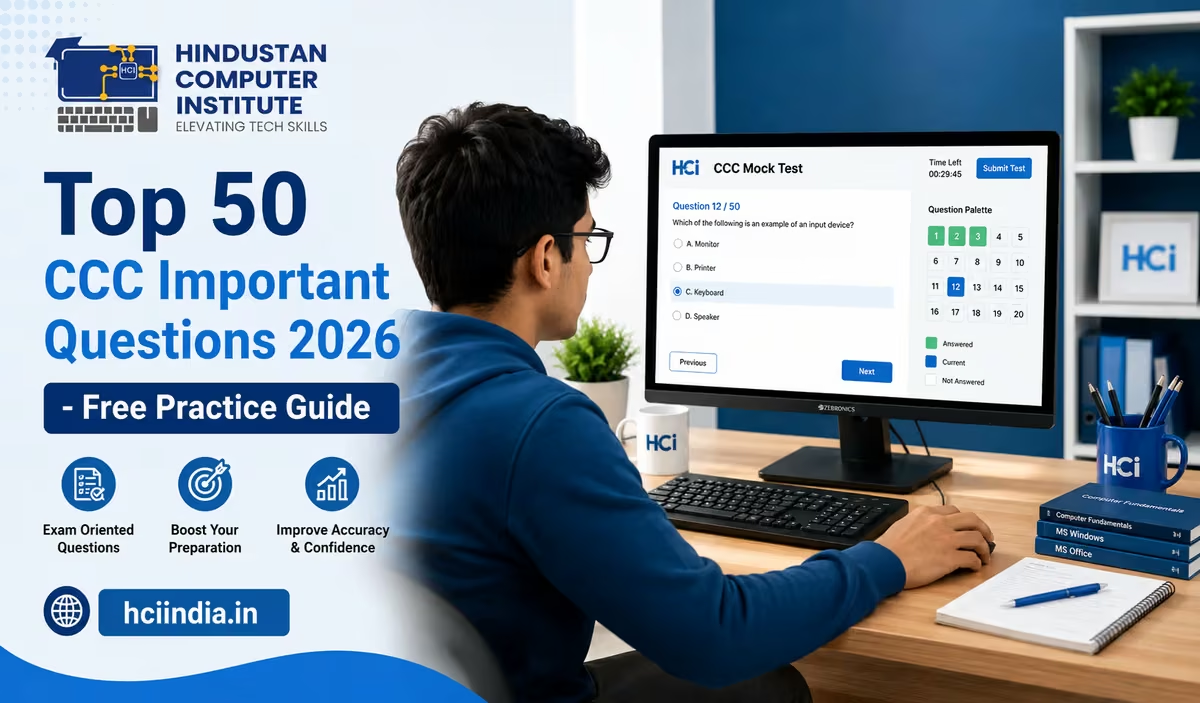
The CCC exam (Course on Computer Concepts) is one of the most widely attempted government-recognised computer certifications in India. Conducted by NIELIT, it qualifies you for hundreds of state and central government posts - from clerks and data entry operators to panchayat assistants. But the syllabus covers a lot of ground, and students often ask the same thing: which questions actually show up in the exam?
This guide gives you 50 of the most important CCC questions for 2026, drawn from the updated NIELIT syllabus. These cover all major topics: computer fundamentals, MS Office, internet, LibreOffice, digital payments, and cybersecurity. Go through these carefully - not just to memorise answers, but to understand the logic behind each one.
CCC 2026 Exam Pattern at a Glance
| Parameter | Details |
|---|---|
| Conducting Body | NIELIT (National Institute of Electronics & IT) |
| Mode | Online (CBT - Computer Based Test) |
| Total Questions | 100 MCQs |
| Duration | 90 minutes |
| Negative Marking | None |
| Pass Mark | 50/100 (Grade D and above) |
| Best Grade | 75+ = Grade A; 85+ = Grade S (for competitive posts) |
| Certificate Validity | Lifetime (no expiry) |
| Exam Frequency | Monthly - last Saturday of every month |
No negative marking means you should attempt every question. Never leave blanks.
Part 1: Computer Fundamentals (Questions 1–10)
This is the most basic section - but it still trips up students who memorise definitions without understanding them. Expect 15–20 questions in this zone.
- Q1. What is the full form of CPU?
Ans: Central Processing Unit. It is the main chip that executes instructions in a computer. Also called the "brain" of the computer. - Q2. Which of the following is an input device?
a) Monitor b) Printer c) Keyboard d) Speaker
Ans: c) Keyboard. Input devices send data into the computer. Monitor, printer, and speaker are output devices. - Q3. 1 GB is equal to how many MB?
Ans: 1 GB = 1024 MB. The binary system uses 1024, not 1000. (1 KB = 1024 bytes, 1 MB = 1024 KB, 1 GB = 1024 MB.) - Q4. RAM stands for?
Ans: Random Access Memory. It is primary memory - temporary storage used while the computer is running. Data is lost when the system is switched off. - Q5. Which of the following is NOT an operating system?
a) Windows 11 b) Linux c) MS Word d) macOS
Ans: c) MS Word. Word is an application, not an OS. Operating systems manage hardware and run applications on top. - Q6. What type of memory is the hard disk?
Ans: Secondary memory (also called auxiliary or permanent storage). Unlike RAM, data stored on a hard disk stays even after power is off. - Q7. Which generation of computers uses VLSI chips?
Ans: Fourth generation (1971–present). VLSI stands for Very Large Scale Integration - it allowed thousands of circuits on a single chip. - Q8. What is the binary equivalent of decimal number 10?
Ans: 1010 in binary. (10 = 8+2 = 1×2³ + 0×2² + 1×2¹ + 0×2⁰ = 1010) - Q9. Which device is used to connect a computer to the internet via telephone line?
Ans: Modem (Modulator-Demodulator). It converts digital data to analogue signals for transmission and back again at the receiver. - Q10. What does GUI stand for?
Ans: Graphical User Interface. Examples include Windows desktop, Android home screen. Users interact via icons and windows instead of text commands.
Part 2: MS Office - Word, Excel & PowerPoint (Questions 11–22)
MS Office questions form the bulk of the exam - roughly 25–30 questions combined. Focus heavily on MS Word shortcuts, Excel formulas, and PowerPoint basics.
- Q11. What is the default file extension of MS Word 2019/2021?
Ans: .docx. The older .doc format was used in Word 97–2003. Know both - the exam has asked about either. - Q12. The shortcut key to save a document in MS Word is?
Ans: Ctrl + S. Other important ones: Ctrl+C (copy), Ctrl+V (paste), Ctrl+Z (undo), Ctrl+P (print), Ctrl+B (bold), Ctrl+A (select all). - Q13. What is the shortcut to find and replace text in MS Word?
Ans: Ctrl + H. Ctrl+F is for "Find" only. Ctrl+H opens the full Find and Replace dialog. - Q14. In MS Excel, which symbol is used to start a formula?
Ans: = (equals sign). Every Excel formula starts with =, for example: =SUM(A1:A10) or =AVERAGE(B1:B5). - Q15. What is the function of VLOOKUP in Excel?
Ans: VLOOKUP searches for a value in the first column of a table and returns data from a specified column in the same row. Used in payroll, stock, and accounting sheets. - Q16. In MS Excel, what does the COUNT function do?
Ans: It counts cells that contain numbers. COUNTA counts all non-empty cells; COUNTIF counts cells that meet a specific condition. - Q17. The intersection of a row and a column in Excel is called?
Ans: A Cell. Every cell has an address like A1, B3, C10 - column letter first, then row number. - Q18. Which MS Word feature checks spelling automatically?
Ans: AutoCorrect and Spell Check (Review tab → Spelling & Grammar). Red underline = spelling error; green/blue underline = grammar suggestion. - Q19. In MS PowerPoint, what is a "Slide Transition"?
Ans: A visual effect that plays when you move from one slide to the next. Examples: Fade, Wipe, Push. Set under the Transitions tab. - Q20. How many sheets are created by default in a new MS Excel workbook?
Ans: 1 sheet (in Excel 2013 and later). In older versions (2007–2010) it was 3 sheets by default. The 2026 exam follows current versions - answer is 1. - Q21. What is Mail Merge in MS Word?
Ans: Mail Merge combines a main document (letter/form) with a data source (Excel or CSV) to produce multiple personalised copies - used for sending bulk letters, admit cards, certificates. - Q22. Which chart type in Excel is best for showing trends over time?
Ans: Line Chart. Bar charts compare categories; pie charts show proportions; line charts show change over time (e.g., monthly sales).
Preparing for CCC but want more than just exam questions?
At HCI Billawar, we cover the complete NIELIT CCC syllabus as part of our Basic Computer Course (BCC) and ADCA programme. Students get hands-on practice, mock tests, and guided revision - not just notes.
👉 Book a free counselling call to know which course fits your goals.
Part 3: Internet, Email & Networking (Questions 23–32)
The internet and networking section consistently has 15–20 questions. Many students lose marks here because they confuse similar-sounding terms (WWW vs Internet, URL vs domain, etc.). Read these carefully.
- Q23. What does WWW stand for?
Ans: World Wide Web. The WWW is a collection of websites and web pages accessed via the internet - but the internet itself is the larger network infrastructure. WWW runs on the internet. - Q24. What is the full form of HTTP?
Ans: HyperText Transfer Protocol. HTTPS (with S) is the secure version - used by banking sites and anywhere a password is entered. - Q25. Which of the following is NOT a web browser?
a) Google Chrome b) Mozilla Firefox c) MS Outlook d) Safari
Ans: c) MS Outlook. Outlook is an email client, not a browser. - Q26. What is an IP Address?
Ans: A unique numerical label assigned to each device on a network, e.g., 192.168.1.1 (IPv4). It identifies a device's location on the internet. - Q27. The "@" symbol in an email address separates?
Ans: The username from the domain name. In [email protected], "raju" is the username and "gmail.com" is the domain. - Q28. What does CC mean in email?
Ans: Carbon Copy. People in CC receive the email and can see all other recipients. BCC (Blind Carbon Copy) hides the recipient list from others. - Q29. Which network covers the largest geographical area?
Ans: WAN (Wide Area Network). LAN = Local Area Network (single building); MAN = Metropolitan Area Network (city); WAN = entire country or globe (the internet is the world's largest WAN). - Q30. What is a URL?
Ans: Uniform Resource Locator - the complete address of a web page, e.g., https://www.hciindia.in/courses/. It tells the browser exactly where to go. - Q31. What is the purpose of a Firewall?
Ans: A firewall monitors and controls incoming and outgoing network traffic based on security rules. It protects a network from unauthorised access and cyber attacks. - Q32. Which protocol is used to transfer files over the internet?
Ans: FTP (File Transfer Protocol). SMTP is for sending email; HTTP is for web browsing; FTP is specifically for uploading/downloading files.
Part 4: LibreOffice (Questions 33–38)
NIELIT added LibreOffice to the CCC syllabus a few years ago, and it catches many students off-guard. Learn the basic equivalents to MS Office tools - the logic is almost identical, but the names differ.MS Office Tool LibreOffice Equivalent File Extension MS Word LibreOffice Writer .odt MS Excel LibreOffice Calc .ods MS PowerPoint LibreOffice Impress .odp MS Access LibreOffice Base .odb
- Q33. What is the default file format saved by LibreOffice Writer?
Ans: .odt (Open Document Text). It can also save as .docx for MS Word compatibility. - Q34. In LibreOffice Calc, which function is used to find the highest value in a range?
Ans: =MAX(). For example, =MAX(A1:A20) returns the largest number in cells A1 to A20. MIN() returns the lowest. - Q35. Which LibreOffice application is used for creating presentations?
Ans: LibreOffice Impress. It is the equivalent of MS PowerPoint and saves files in .odp format by default. - Q36. What does ODF stand for in LibreOffice context?
Ans: Open Document Format. It is the standard file format used by LibreOffice - an open, non-proprietary alternative to Microsoft's formats. - Q37. In LibreOffice Writer, which menu contains the "Styles and Formatting" option?
Ans: Format menu (or press F11 directly). Styles control heading levels, fonts, and paragraph spacing across the document. - Q38. True or False: LibreOffice is free and open-source software.
Ans: True. LibreOffice is developed by The Document Foundation and is freely available for Windows, Linux, and macOS.
Part 5: Cybersecurity & Digital Payments (Questions 39–45)
These topics were added in the updated NIELIT syllabus and now regularly appear in the exam. Digital India and financial literacy tie into several government schemes - expect 8–12 questions from this combined area.
- Q39. What is phishing?
Ans: Phishing is a cyber attack where fraudsters send fake emails or messages pretending to be a trusted source (bank, UIDAI, etc.) to steal passwords or financial details. - Q40. What does HTTPS "S" stand for in a website address?
Ans: Secure. HTTPS uses SSL/TLS encryption to protect data between your browser and the website. Always look for HTTPS before entering passwords or card details. - Q41. What is a strong password?
Ans: A strong password is at least 8–12 characters long and combines uppercase letters, lowercase letters, numbers, and special characters (e.g., @, #, $). Never use birthdays, names, or "12345". - Q42. What is UPI?
Ans: Unified Payments Interface - a real-time payment system developed by NPCI that allows instant money transfers between bank accounts via mobile apps like PhonePe, Google Pay, and BHIM. - Q43. What is a Digital Wallet?
Ans: A digital wallet stores payment information electronically, allowing users to make online or contactless payments without a physical card. Examples: Paytm wallet, Amazon Pay, Mobikwik. - Q44. Which act governs cybercrime in India?
Ans: The Information Technology Act, 2000 (IT Act 2000), amended in 2008. It covers offences like hacking, data theft, identity fraud, and publishing obscene content online. - Q45. What is a Computer Virus?
Ans: A computer virus is malicious software that attaches to a legitimate file or program and spreads to other files when executed. It can corrupt data, slow the system, or steal information. Antivirus software detects and removes viruses.
Part 6: Operating System, Hardware & Mixed Topics (Questions 46–50)
- Q46. Which Windows shortcut opens the Task Manager?
Ans: Ctrl + Shift + Esc (directly opens Task Manager). Ctrl+Alt+Del opens the security screen from which you can also reach Task Manager. - Q47. What is the purpose of the Recycle Bin in Windows?
Ans: The Recycle Bin temporarily stores deleted files before they are permanently removed. You can restore files from Recycle Bin - unless you have used "Shift+Delete" which permanently deletes without sending to Recycle Bin. - Q48. Which of the following is an example of system software?
a) MS Word b) Windows 11 c) VLC Media Player d) Photoshop
Ans: b) Windows 11. System software manages hardware and provides a platform for running applications. All the others are application software. - Q49. What is the full form of PDF?
Ans: Portable Document Format. Developed by Adobe, PDF files look the same on any device or operating system - used widely in government documents, admit cards, and forms. - Q50. In computing, what does "booting" mean?
Ans: Booting is the process of starting (or restarting) a computer and loading the operating system into RAM. Cold boot = starting from off state; Warm boot = restarting a running system.
Topic-Wise Expected Question Distribution (CCC 2026)
Based on previous NIELIT papers and the current official syllabus, here is a rough breakdown of how 100 questions typically spread across topics:Topic Expected Questions Difficulty Computer Fundamentals (Hardware, Software, Memory) 15–20 Easy–Medium MS Office (Word, Excel, PowerPoint) 20–25 Easy–Medium LibreOffice (Writer, Calc, Impress) 8–12 Medium Internet, Email & Networking 15–18 Easy–Medium Operating System (Windows basics) 8–10 Easy Cybersecurity & Digital Safety 6–10 Medium Digital Financial Literacy (UPI, e-Banking, Payments) 5–8 Easy Future Skills / AI Concepts (New in 2024+) 3–5 Easy Total 100 -
5 Practical Tips to Score Grade A in CCC 2026
Getting through the CCC exam is not hard - most of our students at HCI pass in their first attempt. But scoring Grade A (75+) or Grade S (85+) takes a bit more focused work. Here is what actually helps:
1. Practice typing, not just theory. CCC has a practical component in many states. Even in the CBT format, speed with the keyboard matters - navigating the exam, reviewing flagged questions, managing time.
2. Do at least three full mock tests. Not 10 practice questions here and there - three complete 100-question tests under 90-minute conditions. The NIELIT portal offers a free mock test at nielit.gov.in. Use it.
3. Learn LibreOffice by actually using it. Students who only read about LibreOffice Calc commands almost always confuse them with Excel shortcuts in the exam. Open the software, type a formula, save a file as .ods - 20 minutes of hands-on practice fixes what an hour of reading cannot.
4. Revise shortcut keys as a separate block. Keep a list of the 20–25 most common shortcuts (Ctrl+S, Ctrl+Z, Ctrl+H, F11 in LibreOffice, Alt+F4, etc.) and revise them in the week before the exam. These questions are quick marks.
5. Don't ignore cybersecurity and digital payments. These sections are newer and many students under-prepare for them. The questions are not difficult - they test awareness, not deep technical knowledge. But only if you have actually read the topics.
Ready to clear CCC with a strong grade?
At Hindustan Computer Institute (HCI), Billawar, our students consistently clear CCC in the first attempt. Our ISO 9001:2015 certified training covers the full NIELIT syllabus with hands-on practice, mock tests, and shortcut-key drills - not just theory notes. Students from Billawar, Kathua, Jammu, and across J&K and Punjab attend our batches offline, and we offer online sessions too.
Explore our Basic Computer Course or the AI-Integrated ADCA Programme - both include comprehensive CCC-aligned content.
👉 Book a free counselling session - our team will help you pick the right batch and study plan. No pressure, no sales pitch.
Author: Dinesh Sharma, Founder & Director, Hindustan Computer Institute(MS Excel, AI Tools & Computer Applications expert)
Last updated: June 2026