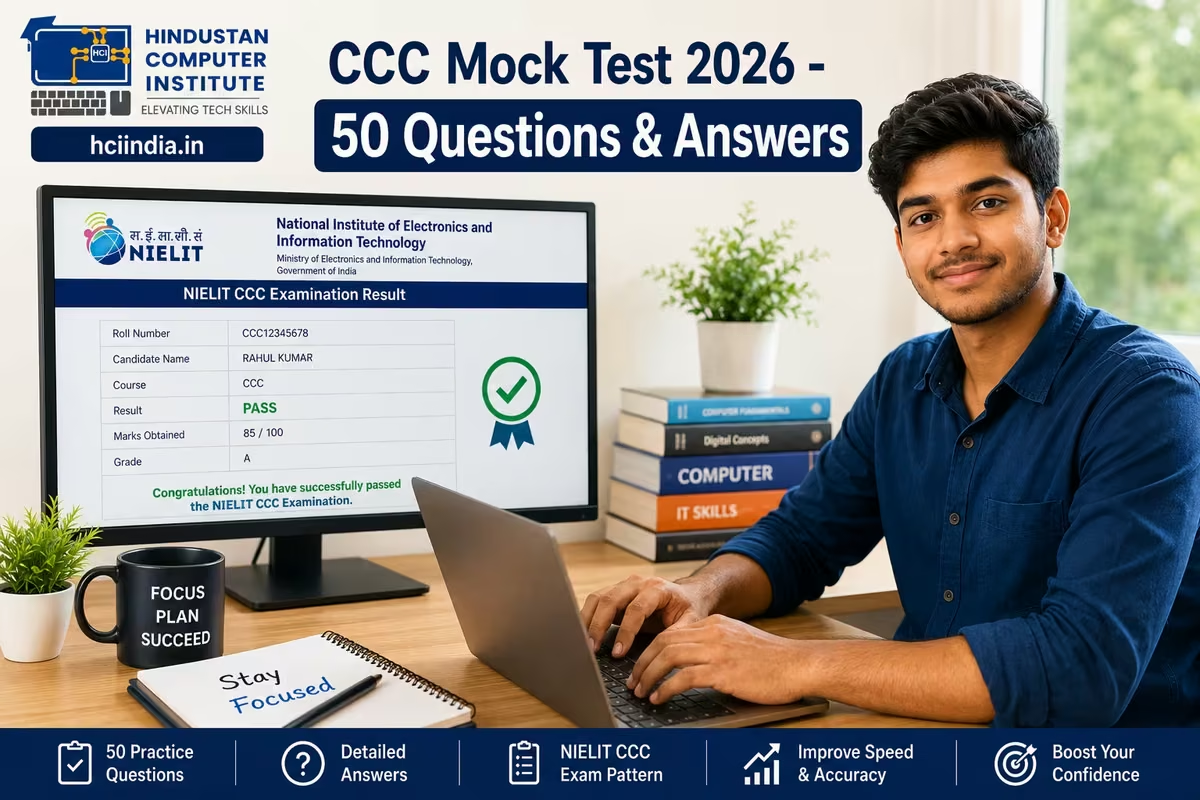
A CCC mock test is a practice exam based on the NIELIT CCC (Course on Computer Concepts) syllabus. It covers all eight units - from computer basics and MS Office to internet use, digital financial tools, and cybersecurity. The 2026 exam has 100 MCQs in 90 minutes; you need 50% to pass. This free mock test gives you 50 questions from across all units so you can spot weak areas before exam day.
CCC Exam 2026: Quick Facts You Need to Know
Before you start practising, get the exam format clear in your head. The CCC exam is held every month by NIELIT (National Institute of Electronics and Information Technology). It's done online at NIELIT exam centres. Knowing the pattern stops you from wasting time studying the wrong things.Detail Information Full Form Course on Computer Concepts Conducted By NIELIT (National Institute of Electronics and Information Technology) Exam Mode Online (Computer Based Test) Total Questions 100 MCQs Duration 90 minutes Negative Marking No Passing Marks 50 out of 100 (Grade D and above) Grade System S (≥85%), A (75–84%), B (65–74%), C (55–64%), D (50–54%), F (below 50%) Exam Frequency Monthly Certificate Validity Lifetime Official Website student.nielit.gov.in
CCC Syllabus 2026: What Each Unit Covers
The mock questions below are mapped to the official CCC syllabus. NIELIT has eight units and the questions are spread roughly equally. Unit 2 (Operating System) and Unit 3 (Word Processing) together typically account for around 25–30 questions in real exams, so give them more practice time.Unit No. Topic Approx. Question Weight Unit 1 Introduction to Computer 10–12 questions Unit 2 Introduction to Operating System (Windows) 12–15 questions Unit 3 Word Processing (LibreOffice Writer / MS Word) 12–15 questions Unit 4 Spreadsheet (LibreOffice Calc / MS Excel) 10–12 questions Unit 5 Presentation (LibreOffice Impress / MS PowerPoint) 8–10 questions Unit 6 Introduction to Internet & WWW 10–12 questions Unit 7 Email, Social Networking & eGovernance 8–10 questions Unit 8 Digital Financial Tools & Cybersecurity 10–12 questions
CCC Mock Test 2026 - 50 Practice Questions with Answers
These 50 questions follow the same MCQ pattern as the real NIELIT CCC exam. Each question has four options; the correct answer is marked in bold. Read each question carefully - some options are deliberately close to each other, just like the real paper. Attempt all 50 before checking answers. Time yourself: you should finish in 45 minutes to stay on track for the actual exam.
Unit 1 - Introduction to Computers (Q1–Q8)
Q1. Which of the following is NOT a characteristic of a computer?
A) Speed B) Accuracy C) Thinking ability D) Diligence
Answer: C - Computers cannot think independently; they only execute instructions given by humans.
Q2. The full form of CPU is:
A) Central Processing Unit B) Central Processing Unit C) Computer Processing Unit D) Core Processing Unit
Answer: A - CPU stands for Central Processing Unit, the brain of the computer that executes instructions.
Q3. Which storage unit is largest?
A) Kilobyte B) Megabyte C) Gigabyte D) Terabyte
Answer: D - 1 TB = 1024 GB. Storage order: KB < MB < GB < TB < PB.
Q4. RAM stands for:
A) Random Access Memory B) Read Access Memory C) Random Application Memory D) Read Application Memory
Answer: A - RAM is temporary memory that stores data currently in use; it is cleared when the computer is switched off.
Q5. Which of the following is an input device?
A) Monitor B) Printer C) Keyboard D) Speaker
Answer: C - A keyboard is used to enter data into the computer. Monitor, printer, and speaker are output devices.
Q6. The first generation of computers used:
A) Vacuum tubes B) Transistors C) Integrated circuits D) Microprocessors
Answer: A - First generation computers (1940s–1950s) used vacuum tubes, which were large and generated significant heat.
Q7. A byte consists of how many bits?
A) 4 B) 8 C) 16 D) 32
Answer: B - 1 Byte = 8 Bits. This is a standard unit of digital information.
Q8. Which type of software is an operating system?
A) Application software B) System software C) Programming software D) Utility software
Answer: B - An operating system (like Windows or Linux) is system software that manages hardware and provides a platform for applications.
Unit 2 - Operating System (Q9–Q17)
Q9. Which key combination is used to open Task Manager in Windows?
A) Ctrl + Alt + Delete B) Ctrl + Shift + Esc C) Alt + F4 D) Win + R
Answer: B - Ctrl + Shift + Esc opens Task Manager directly. Ctrl + Alt + Delete opens a menu with Task Manager as one option.
Q10. The Recycle Bin stores:
A) Permanently deleted files B) Temporarily deleted files C) Compressed files D) System files
Answer: B - Files sent to the Recycle Bin can be restored. They are permanently deleted only when the Recycle Bin is emptied.
Q11. Which shortcut key takes a screenshot of the active window in Windows?
A) Print Screen B) Ctrl + P C) Alt + Print Screen D) Win + Print Screen
Answer: C - Alt + Print Screen captures only the active window. Print Screen alone captures the entire screen.
Q12. File extension .exe stands for:
A) External file B) Executable file C) Example file D) Extended file
Answer: B - .exe files are executable programs. Double-clicking them runs the program directly.
Q13. Which Windows feature allows you to run multiple programs simultaneously?
A) Single-tasking B) Multitasking C) Batch processing D) Time-sharing
Answer: B - Modern Windows OS supports multitasking, allowing multiple applications to run at the same time.
Q14. The shortcut to rename a file or folder in Windows is:
A) Ctrl + R B) Alt + R C) F2 D) F5
Answer: C - Pressing F2 after selecting a file or folder activates the rename field directly.
Q15. Which of the following is NOT a Windows file system?
A) NTFS B) FAT32 C) exFAT D) APFS
Answer: D - APFS (Apple File System) is used by Apple macOS/iOS devices, not Windows.
Q16. Control Panel in Windows is used to:
A) Browse the internet B) Create documents C) Change system settings D) Run programs
Answer: C - Control Panel provides options to change display settings, user accounts, network configurations, and other system preferences.
Q17. What does "Hibernate" do in Windows?
A) Restarts the computer B) Turns off the screen C) Saves the current session to disk and powers off D) Reduces processor speed
Answer: C - Hibernate saves everything in RAM to the hard drive and shuts down. When restarted, the session is restored exactly as it was.
Unit 3 - Word Processing (Q18–Q24)
Q18. The default file extension of MS Word 2016 and later is:
A) .doc B) .docx C) .wps D) .rtf
Answer: B - .docx is the default format from Word 2007 onwards. The older .doc format was used in Word 97–2003.
Q19. Which shortcut key inserts a page break in MS Word?
A) Ctrl + Enter is correct B) Ctrl + Enter C) Alt + Enter D) Shift + Enter
Answer: B - Ctrl + Enter inserts a manual page break at the cursor position in MS Word.
Q20. Mail Merge in MS Word is used to:
A) Merge two documents B) Create personalised letters for multiple recipients C) Send emails D) Format tables
Answer: B - Mail Merge combines a standard document with a data source (like an Excel sheet) to produce personalised copies for each recipient.
Q21. The shortcut key for Find and Replace in MS Word is:
A) Ctrl + F B) Ctrl + H C) Ctrl + R D) Ctrl + G
Answer: B - Ctrl + H opens the Find and Replace dialog. Ctrl + F opens only the Find panel.
Q22. Which alignment option spreads text evenly across the full width of the page?
A) Left align B) Right align C) Centre align D) Justify
Answer: D - Justified text is aligned on both left and right margins, giving a clean, newspaper-like appearance.
Q23. What is the function of the Format Painter tool in MS Word?
A) Changes the font colour B) Copies formatting from one section and applies it to another C) Inserts a table D) Tracks changes
Answer: B - Format Painter copies text formatting (font, size, colour, style) and pastes it onto selected text with one click.
Q24. The keyboard shortcut to save a document in MS Word is:
A) Ctrl + S B) Ctrl + W C) Ctrl + D D) Alt + S
Answer: A - Ctrl + S saves the current document. Ctrl + W closes the document without necessarily saving.
Preparing for CCC but not sure which course to take next?
At HCI Billawar, we help students in J&K and Punjab prepare for CCC and then move on to job-ready diplomas like ADCA or BCC. Over 2,500 students have come through our batches.
Unit 4 - Spreadsheet (Q25–Q31)
Q25. Which function in MS Excel counts only the cells that contain numbers?
A) COUNT B) COUNTA C) COUNTIF D) SUM
Answer: A - COUNT counts cells with numeric values only. COUNTA counts all non-empty cells regardless of content type.
Q26. The formula to calculate the average of cells A1 to A10 is:
A) =SUM(A1:A10) B) =AVERAGE(A1:A10) C) =MEAN(A1:A10) D) =AVG(A1:A10)
Answer: B - AVERAGE is the correct Excel function. MEAN and AVG are not valid Excel function names.
Q27. In MS Excel, the cell address of the intersection of column C and row 5 is:
A) C-5 B) 5C C) C5 D) 5-C
Answer: C - Cell addresses are always written as column letter followed by row number, so column C and row 5 = C5.
Q28. Which chart type is best for showing a trend over time?
A) Pie chart B) Bar chart C) Line chart D) Scatter chart
Answer: C - Line charts are used to display data trends over a time period. Pie charts show parts of a whole.
Q29. What does the $ symbol do in an Excel formula like $A$1?
A) Denotes currency B) Makes the cell read-only C) Creates an absolute reference that does not change when copied D) Applies a filter
Answer: C - The $ sign locks the row and/or column reference. $A$1 stays fixed when the formula is copied to another cell.
Q30. Which shortcut key opens the Insert Function dialog in MS Excel?
A) Shift + F3 B) Ctrl + F3 C) Alt + F3 D) F4
Answer: A - Shift + F3 opens the Insert Function dialog, which helps you search for and insert any Excel function.
Q31. The process of fixing rows or columns so they remain visible while scrolling is called:
A) Merging B) Splitting C) Freezing panes D) Grouping
Answer: C - Freeze Panes keeps selected rows/columns visible. It is accessed via View → Freeze Panes in MS Excel.
Unit 5 - Presentation (Q32–Q37)
Q32. The default file extension of MS PowerPoint 2016 and later is:
A) .ppt B) .pptx C) .pps D) .odp
Answer: B - .pptx is the default format from PowerPoint 2007 onwards. .ppt was the older format.
Q33. Which view in PowerPoint shows all slides as thumbnails in a grid?
A) Normal view B) Slide Sorter view C) Reading view D) Presenter view
Answer: B - Slide Sorter view displays all slides as small thumbnails, making it easy to rearrange, delete, or copy slides.
Q34. The shortcut key to start a PowerPoint slideshow from the beginning is:
A) F5 B) F3 C) Shift + F5 D) Ctrl + F5
Answer: A - F5 starts the slideshow from slide 1. Shift + F5 starts the slideshow from the current slide.
Q35. Which PowerPoint feature allows you to apply a consistent look (fonts, colours, backgrounds) to all slides at once?
A) Slide Layout B) Theme C) Transition D) Animation
Answer: B - Themes apply a preset combination of fonts, colours, and background styles to all slides in the presentation.
Q36. What is the purpose of "Slide Master" in PowerPoint?
A) To delete all slides B) To protect the file C) To set the default layout and design for all slides D) To compress the file
Answer: C - Slide Master controls the global design. Changes made to the Slide Master automatically apply to all slides.
Q37. Transition effects in PowerPoint refer to:
A) Movement of text within a slide B) Animation that plays as you move from one slide to the next C) Changing the slide layout D) Adding audio to a slide
Answer: B - Transitions are slide-to-slide effects (like Fade, Wipe, Push). Animations are effects applied to objects within a single slide.
Unit 6 - Internet & WWW (Q38–Q43)
Q38. What does URL stand for?
A) Universal Resource Locator B) Uniform Resource Locator C) Unified Resource Link D) Universal Reference Link
Answer: B - URL (Uniform Resource Locator) is the address used to access a resource on the internet, such as a webpage or file.
Q39. HTTP stands for:
A) HyperText Transfer Protocol B) High Transfer Text Protocol C) HyperText Transmission Protocol D) Hybrid Transfer Text Protocol
Answer: A - HTTP is the foundation of data communication on the World Wide Web. HTTPS adds an encryption layer for security.
Q40. Which of the following is a web browser?
A) Yahoo B) Gmail C) Mozilla Firefox D) MS Word
Answer: C - Mozilla Firefox is a web browser. Yahoo and Gmail are online services accessed through a browser.
Q41. The process of transferring files from your computer to the internet is called:
A) Downloading B) Uploading C) Streaming D) Browsing
Answer: B - Uploading means sending data from your local device to a remote server. Downloading is the reverse.
Q42. What is a search engine?
A) A type of web browser B) An email service C) A web-based tool that finds information using keywords D) A website hosting service
Answer: C - Search engines like Google, Bing, and DuckDuckGo index billions of web pages and return relevant results for a keyword query.
Q43. VoIP stands for:
A) Video over Internet Protocol B) Voice over Internet Protocol C) Virtual over IP D) Voice on IP
Answer: B - VoIP allows voice calls to be made over the internet. Apps like WhatsApp, Skype, and Zoom use VoIP technology.
Unit 7 - Email, Social Networking & eGovernance (Q44–Q47)
Q44. CC in an email stands for:
A) Carbon Copy B) Courtesy Copy C) Carbon Copy (both are correct) D) Confidential Copy
Answer: A/B - CC originally stood for "Carbon Copy" and is sometimes called "Courtesy Copy." All recipients in CC can see each other's addresses.
Q45. What does BCC mean in email?
A) Basic Carbon Copy B) Blind Carbon Copy C) Brief Carbon Copy D) Bulk Carbon Copy
Answer: B - BCC (Blind Carbon Copy) sends the email to additional recipients without revealing their addresses to other recipients.
Q46. The Digital India programme was launched by the Government of India in:
A) 2013 B) 2014 C) 2015 D) 2016
Answer: C - Digital India was officially launched on 1 July 2015 with the goal of transforming India into a digitally empowered society.
Q47. Which government portal allows Indian citizens to access multiple government services online?
A) IRCTC B) Umang App / National Govt Services Portal C) BHIM UPI D) DigiLocker
Answer: B - The UMANG (Unified Mobile Application for New-age Governance) app provides access to hundreds of central and state government services.
Unit 8 - Digital Financial Tools & Cybersecurity (Q48–Q50)
Q48. UPI stands for:
A) Universal Payment Interface B) Unified Payments Interface C) Unified Processing Interface D) Universal Processing Interface
Answer: B - UPI is a real-time payment system developed by NPCI (National Payments Corporation of India). It allows instant money transfers between bank accounts.
Q49. Which of the following is the strongest password?
A) password123 B) YourName1990 C) T#8kL@92mZ! D) 12345678
Answer: C - A strong password mixes uppercase, lowercase, numbers, and special characters with no predictable pattern. Avoid personal information like birth years or names.
Q50. Phishing is a type of cyber attack where the attacker:
A) Installs a virus through a USB drive B) Tricks users into revealing personal or financial information via fake messages or websites C) Overloads a server with traffic D) Steals data by intercepting Wi-Fi
Answer: B - Phishing uses fake emails, SMS, or websites that look official to steal passwords, OTPs, or banking details. Always verify sender addresses before clicking links.
How to Use This CCC Mock Test Effectively
Fifty questions covered in one sitting is useful, but you'll get more out of this if you use it with a plan. Students who come to HCI for CCC preparation often make the same mistake: they attempt one mock test, see a decent score, and assume they're ready. The real exam has 100 questions in 90 minutes, and the questions jump between units with no warning.
Here's a better approach. First, attempt all 50 questions without looking at the answers. Note which ones you guessed on. Then check. Every wrong answer and every guessed-right answer points to a gap. Go back to that unit specifically - not the whole syllabus again. Students in our batches who follow this method typically improve their scores by 15–20 marks within two weeks of focused revision.
For Units 3 and 4 (MS Word and Excel), reading alone won't be enough. Open the software and practise the keyboard shortcuts directly. If you type Ctrl + H fifty times while using Word, you'll never forget it on exam day. If you can only study on a phone right now, write each shortcut on paper. Old method, but it works.
Also pay attention to digital financial tools - Unit 8 has grown in importance as India pushes digital payments. Questions on UPI, BHIM, net banking, and basic cybersecurity (phishing, strong passwords) appear regularly and are straightforward marks if you've revised them.
What Score Should You Target in This Mock Test?
In the actual CCC exam, 50/100 passes. But aiming for 50% in a mock test is not the plan. Here's how to read your mock test score and what it means for your readiness:Score (out of 50) What It Suggests What to Do Next 40–50 Exam-ready - aim for Grade A or S in the real exam Attempt a full 100-question mock; focus on speed 30–39 Strong base - a few units need attention Identify the units you dropped marks in and revise those specifically 20–29 Foundation is there but preparation is incomplete Revise Units 2, 3, and 4 thoroughly; do 2 more mock tests this week Below 20 More preparation needed before attempting the real exam Go through the complete syllabus unit by unit; consider joining a structured class
Why Students at HCI Clear CCC and Go Further
We've helped hundreds of students in Billawar, Kathua, and Jammu clear their CCC exam - but the students who do best are the ones who treat CCC as a starting point, not the finish line. CCC is valid for central and state government job applications, and that's important. But the practical skills it covers - MS Office, internet use, digital payments, basic cybersecurity - are also the foundation for every higher course.
At HCI (ISO 9001:2015 certified, Tally Authorized Training Partner, MSME registered), CCC preparation is built into our Basic Computer Course (BCC). Students who clear CCC and want to continue into accounting and software skills move into our ADFA course or the full ADCA programme. We've seen students from villages around Billawar and from Pathankot go on to work in government offices and private firms after building on that CCC foundation. The certificate matters, but the skill set matters more.
If you want structured CCC coaching alongside your preparation, our counsellors can explain exactly what's covered, how classes run, and whether online or offline batches suit your schedule better. No obligation to enrol.
Conclusion
These 50 questions cover every unit of the 2026 NIELIT CCC syllabus. Use them to measure where you stand, identify the units to revisit, and then test again with a full 100-question paper before your exam date. CCC is genuinely achievable with four to six weeks of focused preparation - the syllabus is specific, the exam pattern is fixed, and there's no negative marking, so attempting every question costs nothing. If you want to prepare with a batch in Billawar, Kathua, or through our online classes from anywhere in J&K or Punjab, book a free counselling session and our team will walk you through the options.
Author: Dinesh Sharma, Founder & CEO, Hindustan Computer Institute (HCI), Billawar
Last Updated: June 2026