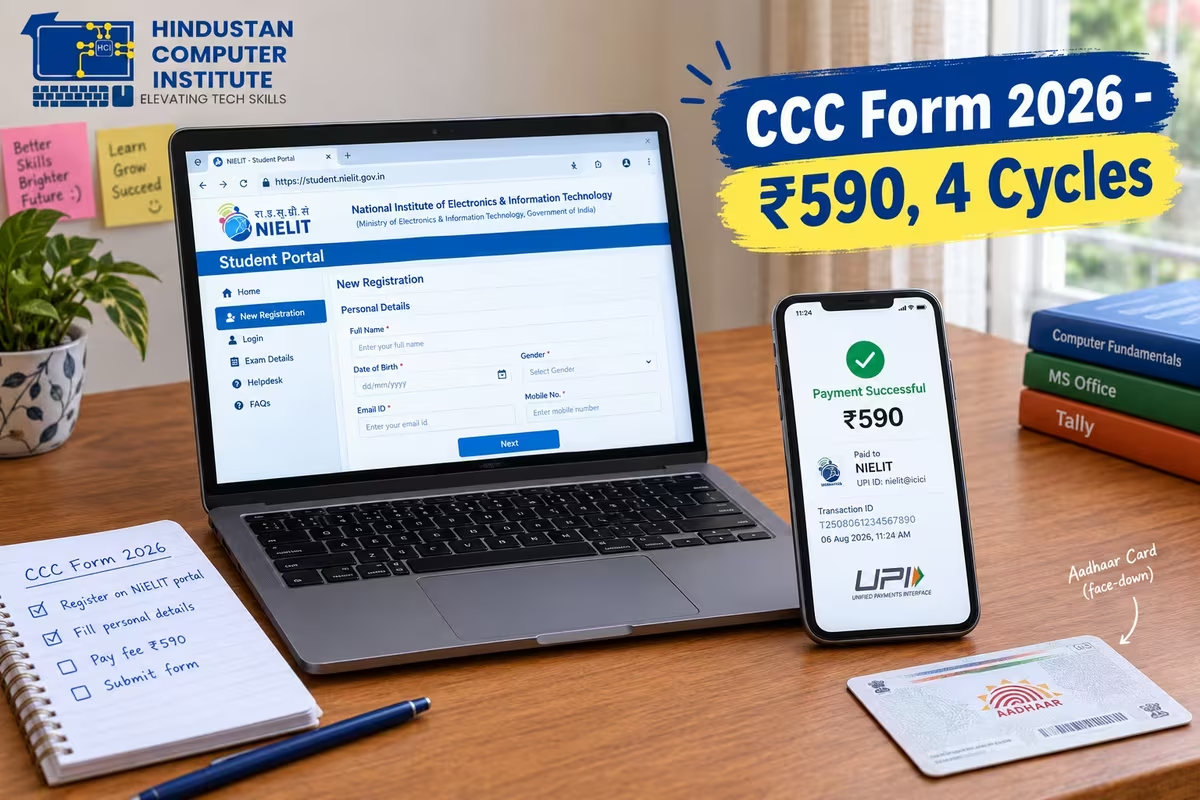
The CCC online form is submitted at student.nielit.gov.in and costs ₹500 plus 18% GST, a total of ₹590 paid online. NIELIT runs four exam cycles a year, in March, June, September and December, each starting on the first Saturday of that month. The application window for each cycle opens roughly four months ahead and closes about five weeks before the exam.
How do I fill the CCC online form in 2026? (Quick Answer)
Register on the NIELIT student portal, fill your personal and educational details, upload a photo and signature in the exact dimensions the portal specifies, pick your exam city, pay ₹590, and download the confirmation page. The whole process takes about twenty minutes if your documents are ready and considerably longer if they are not.
Two things trip people up: the photo upload, and applying to the cycle they think is next rather than the one that is actually open.
CCC exam cycles and form dates 2026
| Exam cycle | Exam starts | Form opens | Form last date |
|---|---|---|---|
| March 2026 | First Saturday of March | 1 November 2025 | 31 January 2026 |
| June 2026 | First Saturday of June | 1 February 2026 | 30 April 2026 |
| September 2026 | First Saturday of September | 1 May 2026 | 31 July 2026 |
| December 2026 | First Saturday of December | 1 August 2026 | 31 October 2026 |
The December 2026 cycle is the one currently open. If you are reading this in August, September or October, that is your window. Dates occasionally shift, so confirm on student.nielit.gov.in before you rely on them. 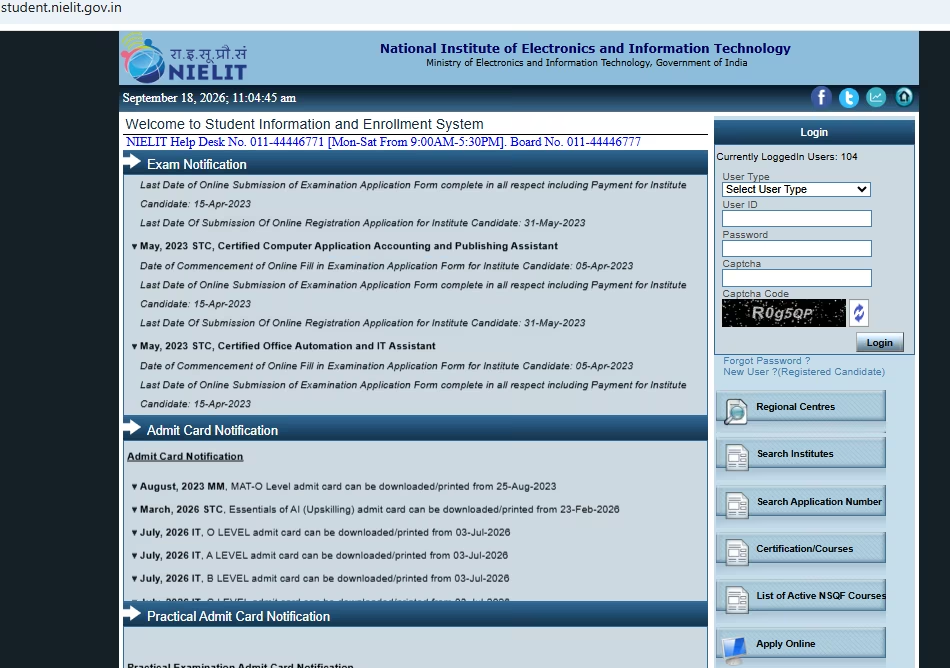
Step-by-step: filling the CCC online form
Start at student.nielit.gov.in and open the CCC registration link for the live cycle. You will create a login first, so use an email address and mobile number you actually check, because the admit card notification goes there and nowhere else.
Next comes personal details. Enter your name exactly as it appears on your Class 10 certificate, not as it appears on Aadhaar if the two differ. The certificate is generated from what you type here, and a correction afterwards costs ₹50 and a wait.
Then educational qualification, category, and your preferred exam city. Choose a city you can physically reach on a Saturday morning. Students in our Billawar batches usually pick Jammu, and the ones who picked somewhere closer on the map without checking the bus route regretted it.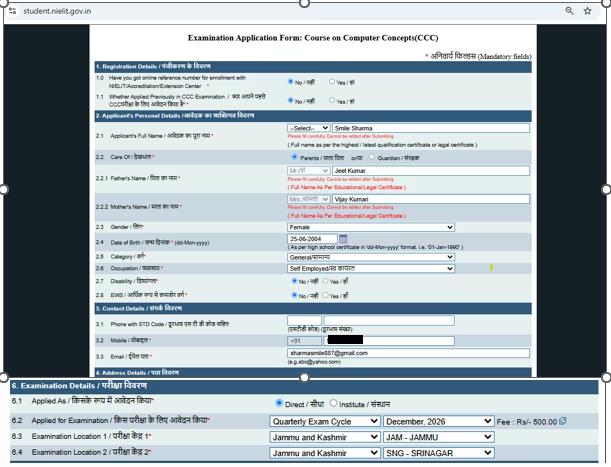
The photo upload, which is where most forms get rejected
The portal specifies exact dimensions and file sizes for the photograph and signature, and it rejects anything outside them without always explaining why. A phone photo straight from the gallery will almost never pass.
Get a proper passport photo scanned, sign on white paper with a black pen and scan that separately, and resize both to the portal's stated pixel dimensions before you start the form rather than in the middle of it. We keep a resizing tool open in our lab for exactly this reason, because a student who has already paid and then fails the upload has to start the session again.
After upload comes payment. ₹590 by card, net banking or UPI. Save the confirmation page as a PDF immediately. Not a screenshot of the screen, the actual downloadable confirmation, because that is the document that proves you applied if the portal has a bad day.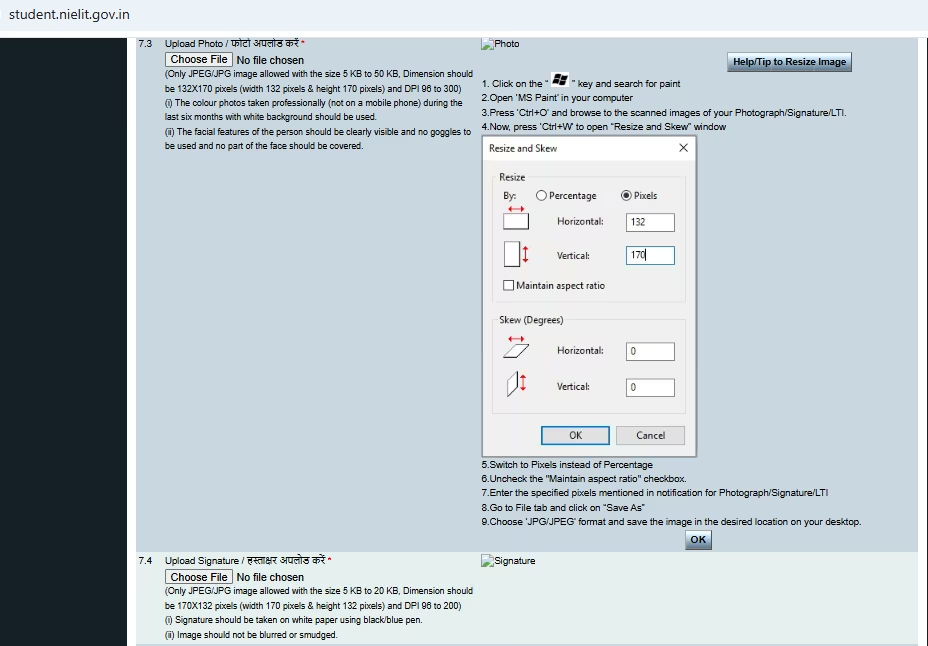
Documents, admit card and what happens next
Keep these ready before you begin: a scanned passport photograph and signature in the portal's dimensions, your Class 10 certificate or marksheet for the name and date of birth, an identity document, a working email address and mobile number, and a payment method. There is no minimum educational qualification for CCC, so the Class 10 document is for identity accuracy rather than eligibility.
The admit card is released a few days before the exam starts and is downloaded from the same portal login. Nobody posts it to you and nobody messages it. Check the portal in the week before your exam date.
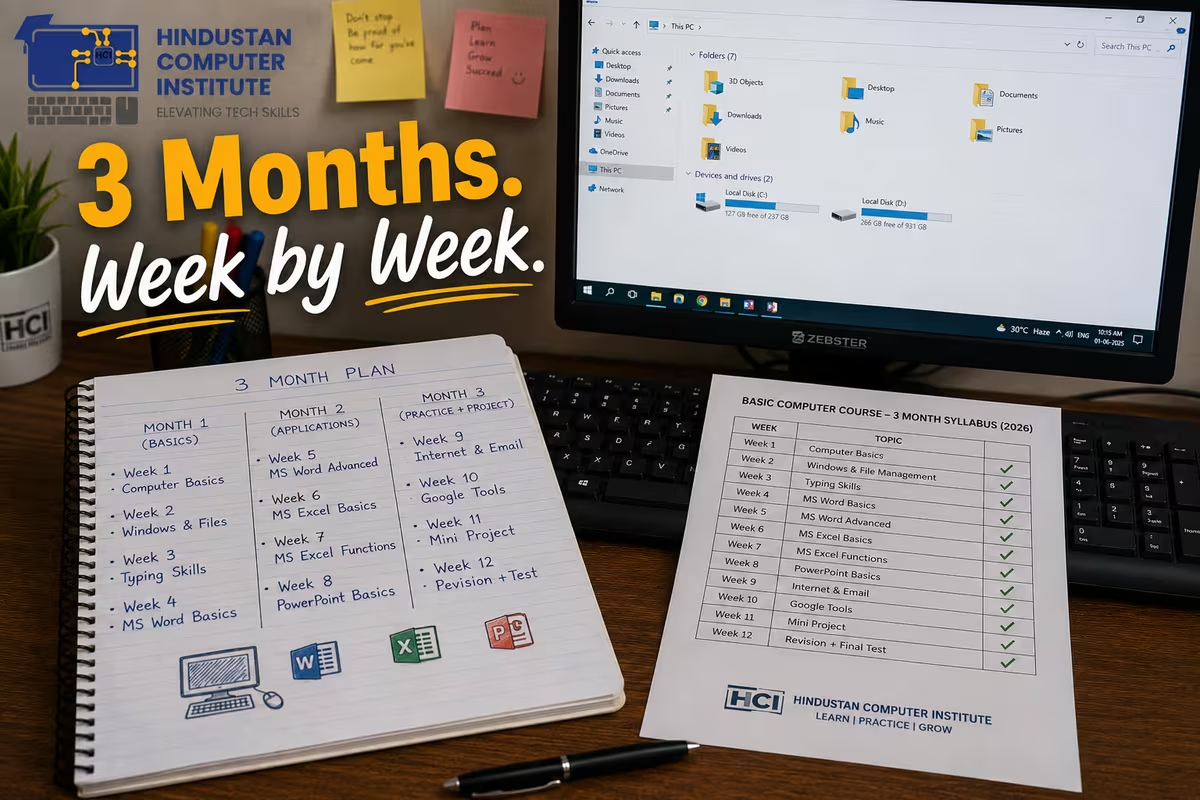
Between applying and sitting, use the time. Ten weeks is enough to go from beginner to a comfortable grade A if you actually practise, and our 3-month basic computer course is built to fit exactly that window. Practising on LibreOffice specifically, rather than MS Office, is the single highest-return preparation decision you will make.
The five reasons a CCC form gets rejected
Most problems are avoidable and all of them are cheaper to prevent than to fix.
Photograph outside the specified dimensions or file size. The most common by far. Resize before you begin, not while the session clock is running.
Signature photographed rather than scanned. A phone picture of a signature on lined paper, with shadow across it, is usually rejected. White paper, black pen, flat scan.
Name mismatch between the form and your Class 10 certificate. The certificate prints exactly what you typed. Middle names, initials and spellings that differ from your school record cause problems later at document verification, and a correction costs ₹50 plus the wait.
Date of birth entered in the wrong format. The portal expects a particular order, and a transposed day and month passes validation while quietly being wrong on your certificate.
Payment deducted without the form submitting. This happens, usually on a slow connection near a deadline. Do not pay again immediately. Check your login first, because the application is often recorded even when the confirmation screen never loaded, and paying twice is not automatically refunded.
The pattern behind all five is applying at the last minute on a shaky connection. Apply in the first month of the window rather than the last week, and most of this list stops being relevant.
Why apply for CCC through Hindustan Computer Institute?
We sit with students through the form itself. A rejected upload or a misspelt name is a problem we can prevent in five minutes and cannot fix in five weeks, and that is most of the value we add at this stage. The institute is ISO 9001:2015 certified and registered with MSME and the Ministry of Corporate Affairs, with 2,500+ students trained from our Billawar centre.
The ₹590 goes directly to NIELIT from your own payment method. We do not collect it, and any centre that insists on paying it for you is worth a second look.
Conclusion
The December 2026 cycle closes on 31 October, so if you are reading this in September you have time to apply and prepare properly rather than doing both in a panic. Fix your photo dimensions first, match your name to your Class 10 certificate, save the confirmation PDF, and then spend the ten weeks practising on the software the exam actually tests. Visit our Billawar centre and we will fill the form alongside you, or book a free counselling session to work out how much preparation time your current level needs.