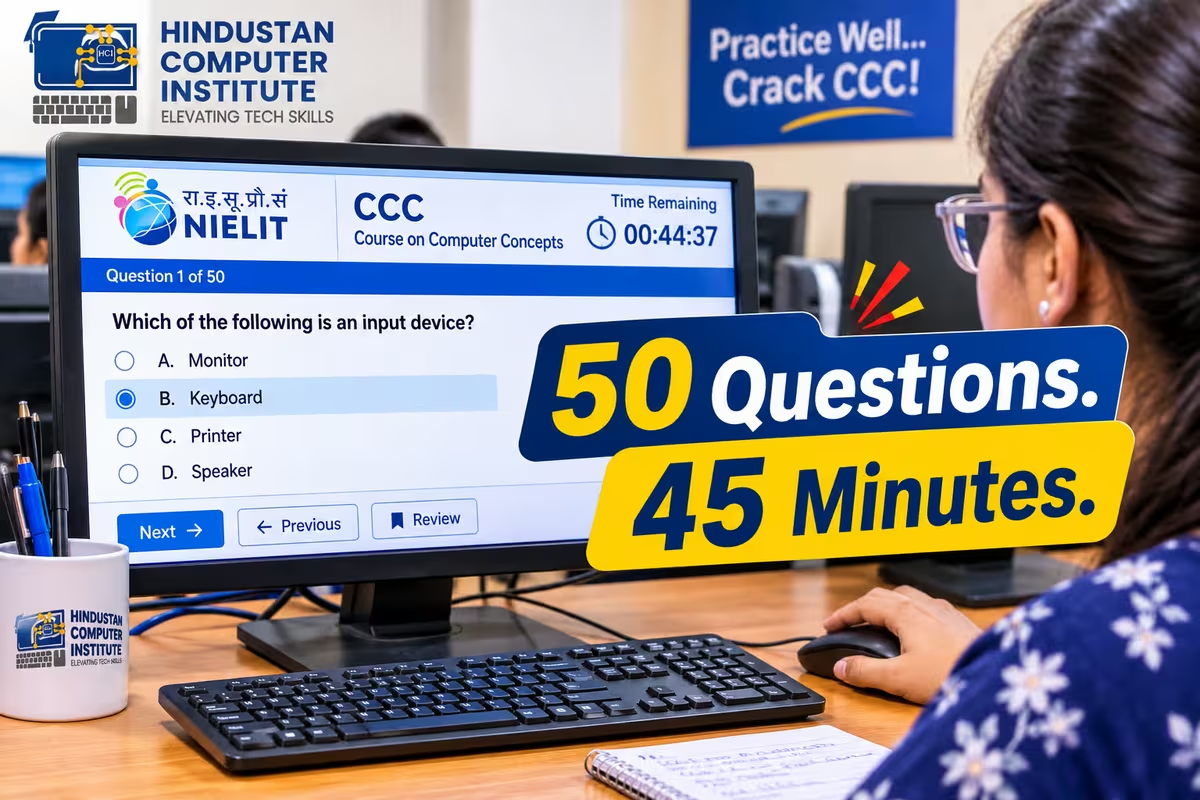
This CCC online test contains 50 questions across all ten NIELIT modules, weighted the way the actual paper is weighted. Word processing and spreadsheets carry the largest share, as they do in the real exam. Give yourself 45 minutes, cover the answer column, and mark honestly.
How to use this CCC online test
The real exam is 100 questions in 90 minutes, so this half-length set should take 45 minutes. Time yourself. Pacing is a genuine part of the exam and students who know the material still run out of clock around question 70 because they have never practised against a timer.
There is no negative marking in CCC, so attempt everything. A guess is worth more than a blank.
Score yourself out of 50 and double it for an approximate grade. Below 25 is a fail, 25 to 27 is grade D, 33 is grade B territory, and 38 or above puts you in grade A. If you are unsure what those grades mean for your application, our CCC grade system breakdown covers which posts need which grade.
Module 1–2: Computer fundamentals and operating system (Q1–10)
| # | Question | Options | Answer |
|---|---|---|---|
| 1 | Which of these is an input device? | a) Monitor b) Scanner c) Printer d) Speaker | b) Scanner |
| 2 | 1 Gigabyte equals how many Megabytes? | a) 100 b) 512 c) 1024 d) 2048 | c) 1024 |
| 3 | Which memory is volatile? | a) ROM b) RAM c) Hard disk d) Pen drive | b) RAM |
| 4 | CPU stands for | a) Central Processing Unit b) Computer Personal Unit c) Central Program Unit d) Control Processing Unit | a) Central Processing Unit |
| 5 | Which is system software? | a) MS Word b) Operating System c) Tally d) Photoshop | b) Operating System |
| 6 | The shortcut to copy a selected item is | a) Ctrl+X b) Ctrl+V c) Ctrl+C d) Ctrl+P | c) Ctrl+C |
| 7 | Deleted files in Windows go to | a) My Documents b) Recycle Bin c) Control Panel d) Task Manager | b) Recycle Bin |
| 8 | Which key combination permanently deletes a file? | a) Delete b) Shift+Delete c) Ctrl+Delete d) Alt+Delete | b) Shift+Delete |
| 9 | The extension of a folder in Windows is | a) .fld b) .dir c) .txt d) Folders have no extension | d) Folders have no extension |
| 10 | Which is an output device? | a) Keyboard b) Mouse c) Plotter d) Joystick | c) Plotter |
Module 3: Word processing, LibreOffice Writer (Q11–21)
| # | Question | Options | Answer |
|---|---|---|---|
| 11 | The default file extension of a LibreOffice Writer document is | a) .doc b) .odt c) .txt d) .rtf | b) .odt |
| 12 | Shortcut to make selected text bold | a) Ctrl+B b) Ctrl+I c) Ctrl+U d) Ctrl+D | a) Ctrl+B |
| 13 | Which alignment spreads text evenly to both margins? | a) Left b) Right c) Center d) Justify | d) Justify |
| 14 | Mail Merge is used to | a) Merge two documents b) Send the same letter to many recipients c) Merge cells d) Combine images | b) Send the same letter to many recipients |
| 15 | Shortcut to find text in a document | a) Ctrl+F b) Ctrl+H c) Ctrl+G d) Ctrl+L | a) Ctrl+F |
| 16 | Header and footer appear on | a) First page only b) Last page only c) Every page d) Alternate pages only | c) Every page |
| 17 | Shortcut to undo the last action | a) Ctrl+Y b) Ctrl+Z c) Ctrl+U d) Ctrl+R | b) Ctrl+Z |
| 18 | Which feature checks spelling as you type? | a) AutoCorrect b) AutoText c) Spell Check d) Thesaurus | c) Spell Check |
| 19 | Page orientation options are | a) Portrait and Landscape b) Vertical and Flat c) Long and Wide d) Tall and Short | a) Portrait and Landscape |
| 20 | Shortcut to print a document | a) Ctrl+S b) Ctrl+P c) Ctrl+O d) Ctrl+N | b) Ctrl+P |
| 21 | Superscript is used for | a) Text below the line b) Text above the line c) Bold text d) Underlined text | b) Text above the line |
Module 4: Spreadsheets, LibreOffice Calc (Q22–32)
| # | Question | Options | Answer |
|---|---|---|---|
| 22 | The default extension of a LibreOffice Calc file is | a) .xls b) .ods c) .csv d) .odt | b) .ods |
| 23 | Every formula in Calc begins with | a) + b) - c) = d) @ | c) = |
| 24 | The intersection of a row and a column is called | a) Cell b) Range c) Sheet d) Table | a) Cell |
| 25 | =SUM(A1:A5) will | a) Add A1 and A5 only b) Add all cells A1 through A5 c) Count cells d) Average the range | b) Add all cells A1 through A5 |
| 26 | Which function finds the largest value in a range? | a) MAX b) LARGE c) TOP d) HIGH | a) MAX |
| 27 | $A$1 is an example of | a) Relative reference b) Absolute reference c) Mixed reference d) Circular reference | b) Absolute reference |
| 28 | Which function counts only cells containing numbers? | a) COUNT b) COUNTA c) COUNTIF d) SUM | a) COUNT |
| 29 | The AVERAGE function returns | a) The sum b) The middle value c) The arithmetic mean d) The most frequent value | c) The arithmetic mean |
| 30 | To display data graphically in Calc you insert a | a) Table b) Chart c) Frame d) Macro | b) Chart |
| 31 | =IF(A1>50,"Pass","Fail") will return "Pass" when | a) A1 equals 50 b) A1 is more than 50 c) A1 is less than 50 d) A1 is empty | b) A1 is more than 50 |
| 32 | Freezing rows is used to | a) Lock cells from editing b) Keep headings visible while scrolling c) Protect the sheet d) Hide rows | b) Keep headings visible while scrolling |
Modules 5–7: Internet, WWW and email (Q33–41)
| # | Question | Options | Answer |
|---|---|---|---|
| 33 | WWW stands for | a) World Wide Web b) World Web Wide c) Wide World Web d) Web World Wide | a) World Wide Web |
| 34 | Which of these is a web browser? | a) Google b) Mozilla Firefox c) Yahoo d) Bing | b) Mozilla Firefox |
| 35 | In an email, CC stands for | a) Carbon Copy b) Common Copy c) Computer Copy d) Copy Circulated | a) Carbon Copy |
| 36 | BCC recipients are | a) Visible to everyone b) Hidden from other recipients c) Not sent the email d) Sent a delayed copy | b) Hidden from other recipients |
| 37 | URL stands for | a) Uniform Resource Locator b) Universal Resource Link c) Uniform Reference Locator d) Universal Reference Link | a) Uniform Resource Locator |
| 38 | ISP stands for | a) Internet Service Provider b) Internal System Protocol c) Internet System Provider d) Internal Service Point | a) Internet Service Provider |
| 39 | Which protocol is used to send email? | a) HTTP b) FTP c) SMTP d) TCP | c) SMTP |
| 40 | A search engine is | a) A type of browser b) A tool to find information on the web c) An email client d) An operating system | b) A tool to find information on the web |
| 41 | Cloud storage means | a) Storing data on your hard disk b) Storing data on remote servers accessed via internet c) Storing data on a pen drive d) Printing data | b) Storing data on remote servers accessed via internet |
Modules 8–10: Presentations, digital payments and cyber security (Q42–50)
| # | Question | Options | Answer |
|---|---|---|---|
| 42 | The default extension of a LibreOffice Impress file is | a) .ppt b) .odp c) .ods d) .odt | b) .odp |
| 43 | The shortcut to start a slideshow from the beginning is | a) F5 b) F2 c) F9 d) F12 | a) F5 |
| 44 | UPI stands for | a) Unified Payment Interface b) Universal Payment India c) Unique Payment Identity d) United Payment Interface | a) Unified Payment Interface |
| 45 | NEFT stands for | a) National Electronic Funds Transfer b) New Electronic Fund Transaction c) National Electronic Financial Transfer d) Net Electronic Funds Transfer | a) National Electronic Funds Transfer |
| 46 | Which is used for instant fund transfer available 24x7? | a) Cheque b) Demand Draft c) IMPS d) Money Order | c) IMPS |
| 47 | A strong password should | a) Be your date of birth b) Contain letters, numbers and symbols c) Be your name d) Be four digits | b) Contain letters, numbers and symbols |
| 48 | Phishing is | a) A type of hardware b) Fraudulently obtaining sensitive information by pretending to be trustworthy c) A backup method d) A printing technique | b) Fraudulently obtaining sensitive information by pretending to be trustworthy |
| 49 | OTP stands for | a) One Time Password b) Online Transaction Protocol c) Open Transfer Payment d) One Touch Payment | a) One Time Password |
| 50 | Antivirus software is used to | a) Increase RAM b) Detect and remove malicious software c) Speed up the internet d) Format the disk | b) Detect and remove malicious software |
Questions are written to the current CCC syllabus [uncertain-NIELIT revises the syllabus periodically; check the current module list before relying on the weighting].
What your score means
Double your score out of 50 for an approximate percentage on the real paper.
Below 50 percent means you are not ready and should not book the exam yet. The fee is non-refundable and a retest costs the full ₹590 again.
Between 50 and 64 percent puts you in grade D or C territory, which is a pass but a weak one, and some notifications specify a minimum grade of B. Worth another two weeks of preparation rather than settling.
Above 65 percent and you are in comfortable pass territory. Above 75 and you are in grade A, which clears every notification we have seen that specifies a grade.
Where you probably lost marks
Look at which sections you got wrong rather than at the total.
If you dropped marks in the Calc section, that is the most expensive place to be weak, because spreadsheets and word processing together carry roughly 40 to 50 percent of the real paper. Fixing this section alone moves most students up a full grade.
If you dropped marks on the LibreOffice file extensions, that is a quick fix and worth doing today. Writer is .odt, Calc is .ods, Impress is .odp. Students who trained on MS Office consistently answer .doc, .xls and .ppt here and lose easy marks.
If you dropped marks in digital financial services or cyber security, you are in the majority and it is the easiest gap to close. Those modules are small, factual and routinely skipped, which is exactly why we teach them in week one rather than last.
What this test cannot tell you
Being straight about the limits of a multiple-choice practice set.
The real exam includes practical questions on operating the software, and reading about Calc is not the same as using it. A student who scores 40 on this test and has never actually built a spreadsheet will still struggle on exam day, because recognising an answer is easier than performing a task.
Use this to find your knowledge gaps, then close them on a computer. If you have not practised on LibreOffice specifically rather than MS Office, that mismatch is the single largest predictor of a disappointing grade, and it is why our basic computer course runs practicals on the open-source suite the exam actually tests.
How we run mock tests at HCI
Our CCC students sit at least three full-length timed mocks before the exam, on machines, with the clock visible and no notes. The first one is usually a shock, and that is the point of doing it early rather than the week before.
ISO 9001:2015 certified, MSME and Ministry of Corporate Affairs registered, 2,500+ students trained from Billawar, online batches available.
Conclusion
Take this test under time, mark it honestly, and pay attention to which module let you down rather than to the total. Then go and do the same tasks on an actual computer running LibreOffice, because the exam tests operation and not recognition. When you can score above 38 on a set like this cold, book the exam. Come to our Billawar centre for a timed full-length mock, or book a free counselling session to work out how many weeks you still need.