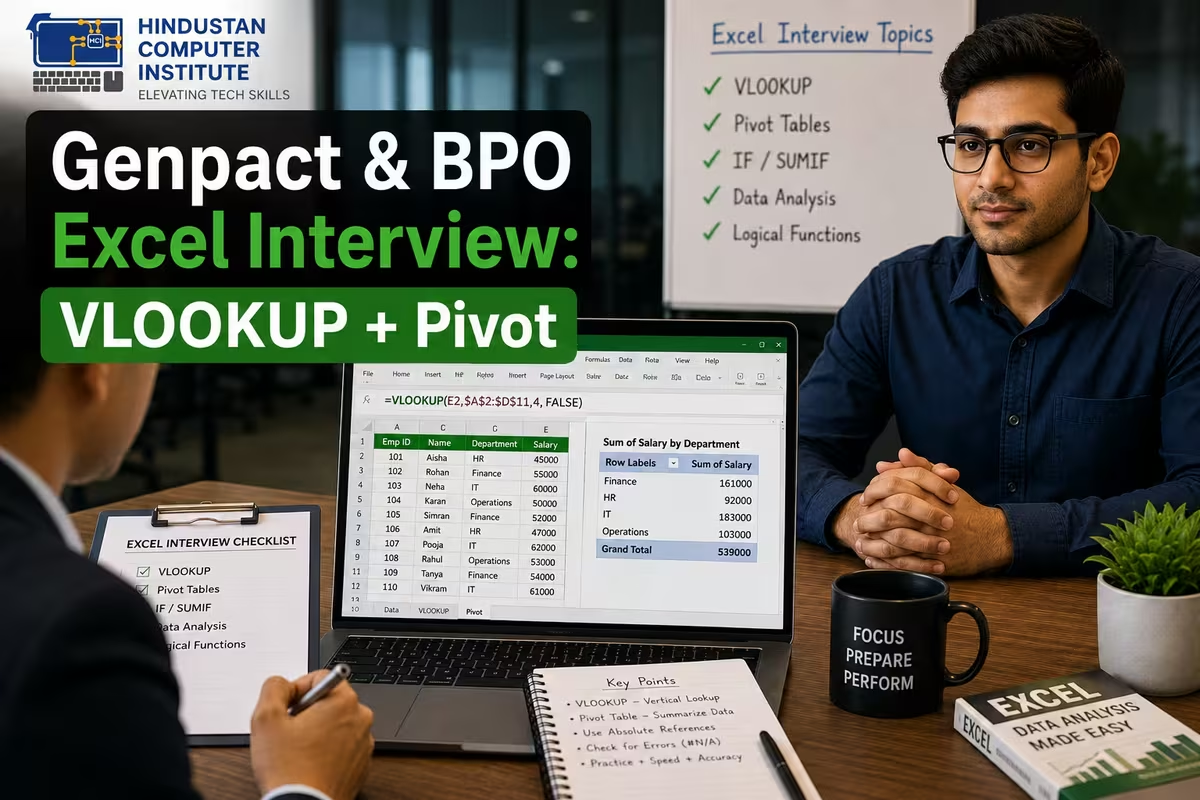
Genpact and other BPO Excel interviews in 2026 lean heavily on two skills: VLOOKUP and pivot tables. Expect to explain what VLOOKUP does, write it correctly, handle its common errors, and build a pivot table to summarise data. If you can do these confidently and explain your steps out loud, you'll clear most first-round Excel screens for back-office and data roles.
What Do Genpact & BPO Excel Interviews Test? (Quick Answer)
A Genpact VLOOKUP interview mainly tests whether you can actually use Excel for real work, not just define terms. Interviewers check if you understand lookup functions, can summarise data with pivot tables, know a few shortcuts, and can spot and fix errors. These roles involve daily data handling, so practical fluency matters more than theory. Being able to talk through your logic while you work is a big plus.
Common VLOOKUP & Pivot Table Questions (with Answers)
| Question | Short Answer |
|---|---|
| What does VLOOKUP do? | Looks up a value in the first column of a range and returns a value from another column in the same row |
| VLOOKUP syntax? | =VLOOKUP(lookup_value, table_array, col_index_num, [range_lookup]) |
| What does the last argument mean? | FALSE = exact match, TRUE = approximate match |
| Why #N/A error? | Value not found, or mismatch in data type/spacing |
| VLOOKUP limitation? | Cannot look to the left of the lookup column |
| Alternative to VLOOKUP? | INDEX-MATCH, or XLOOKUP in newer Excel |
| What is a pivot table? | A tool that summarises large data by grouping and aggregating |
| Use of pivot table? | Quick totals, counts, averages by category |
How to Answer VLOOKUP Questions Confidently
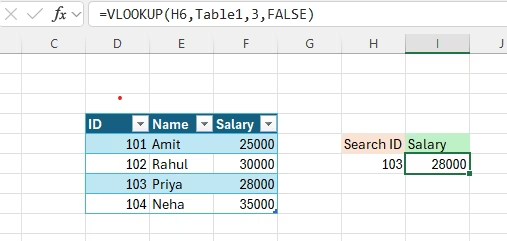
Here's the part that separates candidates who pass from those who freeze: interviewers usually ask you to write the formula, not just recite it. So practise typing =VLOOKUP(A2, D:F, 2, FALSE) and explaining each part in plain words - "I'm looking up the value in A2, searching the range D to F, returning the second column, and I want an exact match." Know why #N/A appears, because troubleshooting is a favourite follow-up. Mention INDEX-MATCH or XLOOKUP as a smarter alternative when VLOOKUP can't look left; that small detail signals real experience. In our Excel training, students practise these live until the syntax becomes automatic, which is exactly the confidence interviewers look for.
Pivot Tables and Shortcuts They Also Ask
Beyond VLOOKUP, expect a pivot table task, because BPO work is full of "summarise this data" requests. Be ready to build one: select the data, insert a pivot table, drag a category to Rows and a number to Values, and switch between Sum, Count, and Average. Practise summarising something simple, like total sales by city, so you can do it without hesitating. Interviewers may also check quick shortcuts - Ctrl+C, Ctrl+V, Ctrl+Z, Ctrl+Shift+L for filters - and basic functions like SUM, IF, and COUNTIF. These roles often start around ₹15,000–₹25,000 per month for freshers with solid Excel, so the practice pays off directly. Strong Excel plus clear communication is the winning combination.
Why Build Excel Skills at Hindustan Computer Institute?
Hindustan Computer Institute is ISO 9001:2015 certified, and our training builds the exact Excel skills BPOs like Genpact test - VLOOKUP, INDEX-MATCH, pivot tables, and key functions - with hands-on practice, not just theory. Advanced Excel is part of our ADCA program, and students practise live formula-writing and data summaries. We offer placement support and both offline and online batches across J&K. With 2,500+ students trained, our aim is to make you interview-ready, not just certificate-ready.
Conclusion
A Genpact or BPO Excel interview rewards practical fluency: write VLOOKUP live, explain your logic, fix #N/A errors, and build a pivot table without hesitation. Practise these until they're automatic and pair them with clear communication. Want to get genuinely Excel interview-ready? Call or visit your nearest HCI center, or book a free counselling session.