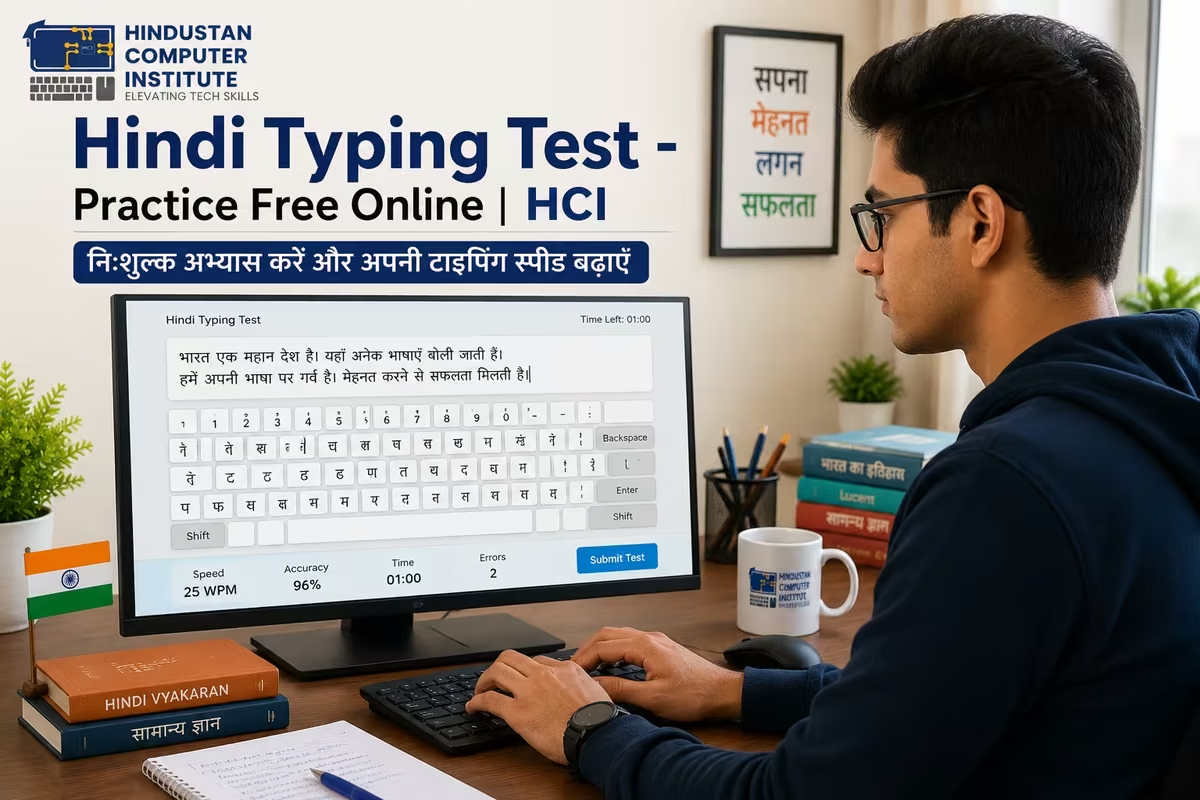
A Hindi typing test measures how many words per minute (WPM) you can type accurately in Devanagari script. Most government jobs - SSC CHSL, JKSSB, railway posts, and state secretariat roles - require a minimum speed of 25–30 WPM in Hindi. Free online tools let you practise daily and track progress before your actual exam.
What Is a Hindi Typing Test? (Quick Answer)
A Hindi typing test is a timed exercise where you type a given passage in Hindi (Devanagari script) and your speed is calculated in words per minute (WPM) along with your accuracy percentage. The two most common keyboard layouts used in government typing tests are Kruti Dev (a legacy font-based system) and Unicode/Mangal (the modern standard used by SSC and most central government departments). Knowing which layout your target exam uses is the first thing you should confirm before you start practising - using the wrong one wastes months of preparation.
Kruti Dev vs Mangal (Unicode): Which Should You Learn?
| Feature | Kruti Dev (Font-Based) | Mangal / Unicode |
|---|---|---|
| Used in | State govt exams, older court/secretariat posts | SSC CHSL, SSC CGL (Tier IV), central govt posts |
| Keyboard layout | Remington Typewriter layout | Inscript or Remington GAIL |
| Software needed | Kruti Dev font installed on Windows | Built into Windows - no install needed |
| Exam standard | J&K state exams, many UP/MP state posts | SSC, banking, UPSC, railways |
| Minimum speed required | Typically 25–30 WPM (varies by post) | 25–30 WPM (SSC CHSL standard) |
| Learning curve | Moderate - layout not intuitive at first | Steeper initially, more consistent long-term |
If you are targeting JKSSB or J&K state secretariat posts, Kruti Dev is still widely used. For SSC CHSL, SSC CGL Tier IV, or any central government typing post, Mangal (Unicode) is the standard. When you are unsure, check the official notification before your exam registration - the typing layout is always mentioned in the skill test section.
How to Take a Hindi Typing Speed Test Online (Step by Step)
Before you sit for any timed test, your keyboard input method needs to match your target exam. For Mangal Unicode, open Windows Settings → Time & Language → Language → Add Hindi → choose the Inscript or Remington GAIL layout. For Kruti Dev, you install the font and switch your keyboard to the Remington typewriter mapping.
Once your system is set up, these are reliable free platforms for daily practice:
- Typing Baba (typingbaba.com) - offers timed Hindi typing tests in both Kruti Dev and Mangal layouts, with WPM and accuracy reporting after each test.
- IndiaTyping (indiatyping.com) - good for beginner lessons, character-by-character practice, and paragraph tests with difficulty levels.
- SSC Typing (ssctyping.com) - simulates the actual SSC CHSL typing test interface, useful for exam-style practice in the last 4–6 weeks.
- 10FastFingers (10fastfingers.com) - has a Hindi mode; good for competitive daily practice once your baseline speed is above 20 WPM.
Here is the part most students get wrong: they jump straight to paragraph tests without building finger memory first. A better sequence is to spend the first two weeks doing character-row exercises (top row, middle row, bottom row separately), then move to common Hindi words, and only then attempt full timed paragraphs. Students in HCI's Professional Typing course follow this exact progression - and most cross 30 WPM within 6–8 weeks from a zero base.
Preparing for SSC CHSL or JKSSB typing test?
HCI's Professional Typing course covers both Kruti Dev and Mangal layouts, with daily speed tests and personalised feedback. Most students reach exam-ready speed (30+ WPM) in 6–8 weeks.
👉 See the Professional Typing Course → or Book a free counselling session
Government Jobs That Require a Hindi Typing Test
Hindi typing is a mandatory skill test - not just a bonus - in a significant number of central and state government recruitment processes. The jobs below specifically list Hindi typing as an eligibility criterion or qualifying skill test round.Exam / Post Conducting Body Required Speed (Hindi) Layout SSC CHSL (LDC / JSA posts) Staff Selection Commission 25 WPM (10,500 key depressions/hr) Mangal (Unicode) SSC CGL Tier IV (Data Entry posts) Staff Selection Commission 8,000 key depressions/hr Mangal (Unicode) JKSSB Lower Division Clerk J&K Services Selection Board 25–30 WPM (varies by notification) Kruti Dev / Mangal J&K Secretariat Steno / Clerk JKPSC / JKSSB 30 WPM Hindi or English Kruti Dev (Hindi role) Railway NTPC (Typing posts) Railway Recruitment Board 25 WPM Mangal (Unicode) High Court / District Court posts Respective State High Courts 25–30 WPM (check notification) Kruti Dev (most states)
One thing worth knowing: these exams test both your speed and accuracy together. SSC, for example, calculates your net speed after deducting for errors. Typing 35 WPM with 15% error rate is worse than typing 27 WPM cleanly. So accuracy drills are not optional - they are the difference between qualifying and not qualifying.
For J&K students specifically, JKSSB recruitment cycles have been active and the LDC and stenographer posts consistently list typing as a qualifying round. Students from Billawar, Kathua, and surrounding areas who clear the written test often lose out at the skill test stage because they underestimated the typing component. Do not be in that group.
Why Learn Hindi Typing at Hindustan Computer Institute?
HCI's Professional Typing course is designed specifically for students targeting government job typing tests - not just generic speed improvement. The 3-month course covers both Kruti Dev and Mangal Unicode layouts, starting from finger placement on the home row and progressing to timed exam-simulation tests by week 8. Daily practice sessions run in HCI's computer lab with real-time WPM tracking so you can see exactly where you are each week.
As an ISO 9001:2015 certified institute with MSME registration under the Government of India, HCI's training follows a structured quality framework - which means your progress is tracked, your weaknesses are identified, and your instructor (not just a YouTube video) tells you what to fix. Over 2,500 students have trained at HCI across computer and skill courses, and the institute provides 100% placement support for students who complete their programmes.
If typing is one component of a larger goal - for example, you need both computer knowledge and typing for JKSSB or SSC - HCI's ADCA course or Basic Computer Course (BCC) includes typing modules alongside MS Office, internet skills, and digital literacy. Many students from Billawar, Ramkote, and Kathua have combined these courses to cover all skill test requirements in a single enrolment.
Start Practising Now - Your Typing Test Date Won't Wait
A Hindi typing test is one of the most predictable parts of any government exam - the layout is fixed, the speed requirement is published, and progress is entirely a function of how consistently you practise. Unlike the written exam where you might hit a tricky question set, typing rewards whoever put in the most hours before the test day. Set up your keyboard layout today, pick one practice platform, and commit to 30 minutes daily. If you want structured training with an instructor tracking your progress - rather than hoping YouTube videos and self-practice get you there - come talk to us at HCI.
👉 Explore HCI's Professional Typing Course or Book a free counselling session - our counsellors will tell you exactly which layout to learn for your target exam and how long it will realistically take from where you are right now. No pressure, no sales pitch.
Author: Dinesh Sharma, Founder & CEO, Hindustan Computer Institute (MS Excel, AI Tools & Computer Applications Expert)
Last Updated: June 2026