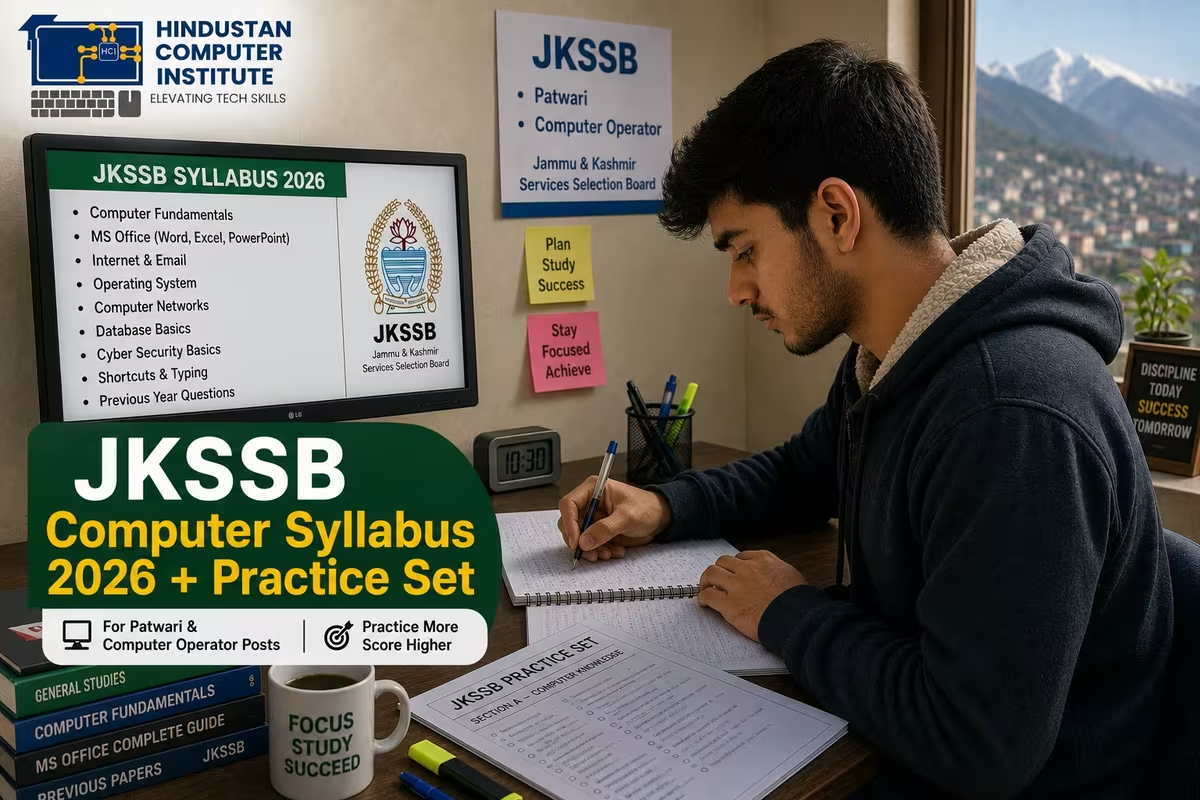
The JKSSB computer syllabus for Patwari and Computer Operator posts covers computer fundamentals, MS Office, operating systems, internet and email, and basic cyber awareness. It's a scoring section if you prepare it properly, because the questions are practical and repeat in patterns. Always confirm the exact syllabus on the official JKSSB notification, as weightage can change per post.
What is the JKSSB Computer Syllabus? (Quick Answer)
The JKSSB computer syllabus is the computer-knowledge portion tested in exams like Patwari and Computer Operator conducted by the Jammu & Kashmir Services Selection Board. It focuses on everyday computer concepts rather than deep programming: fundamentals, MS Office, the internet, and basic security. For many J&K aspirants this section is a reliable score-booster, since the topics are learnable and the questions are predictable.
JKSSB Computer Syllabus 2026: Key Topics
| Topic | What to Study | Why It's Asked |
|---|---|---|
| Computer Fundamentals | Hardware, input/output, memory | Base concepts, easy marks |
| Operating System | Windows basics, files, folders | Daily-use knowledge |
| MS Office | Word, Excel, PowerPoint features | Practical office skills |
| Internet & Email | Browsing, email, search | Digital literacy |
| Cyber Awareness | Passwords, viruses, safe use | Security basics |
| Shortcuts & Terms | Common shortcut keys, full forms | Quick factual questions |
How to Prepare This Section Efficiently
Here's the part most aspirants miss: the computer section rewards revision over cramming. The same concepts - shortcut keys, MS Office features, hardware terms, common full forms like CPU, RAM, and URL - appear again and again. So build a one-page notes sheet of high-frequency facts and revise it daily. Practise MS Office hands-on rather than only reading, because a question about the "Save As" shortcut sticks better once you've used it. In our exam-prep batches, students who do short daily quizzes on computer awareness improve their accuracy fast. Pairing this with a solid computer foundation from a course like our Basic Computer Course makes the section much easier.
Quick Practice Set (Sample Questions)
Try these to test yourself. Answers are noted so each stands alone. 1) Which key combination copies selected text? Ctrl + C. 2) What does RAM stand for? Random Access Memory. 3) Which MS Office program is used mainly for calculations and spreadsheets? MS Excel. 4) What is the full form of URL? Uniform Resource Locator. 5) Which shortcut saves a document in most Windows programs? Ctrl + S. 6) What device is used to point and click on screen? The mouse. 7) What does CPU stand for? Central Processing Unit. 8) Which key deletes the character to the left of the cursor? Backspace. These are the difficulty and style you'll typically face, though the actual exam draws from the official syllabus. Build a bank of 100+ such questions and revise weekly.
Why Prepare for JKSSB at Hindustan Computer Institute?
Hindustan Computer Institute is based in Billawar, J&K, and ISO 9001:2015 certified, so we understand what local aspirants need for JKSSB exams. Our preparation combines a strong computer foundation with topic-wise practice and quizzes on high-frequency computer questions. We run offline and online batches across J&K, which helps students from smaller towns like Kathua, Udhampur, and Samba prepare without travelling. With 2,500+ students trained, our aim is to turn the computer section into your strongest scoring area.
Conclusion
The JKSSB computer syllabus is one of the most scoreable parts of Patwari and Computer Operator exams if you revise the high-frequency topics and practise MS Office hands-on. Build a question bank, revise weekly, and confirm the exact syllabus on the official notification. Want structured JKSSB computer prep with practice sets? Call or visit your nearest HCI center, or book a free counselling session.