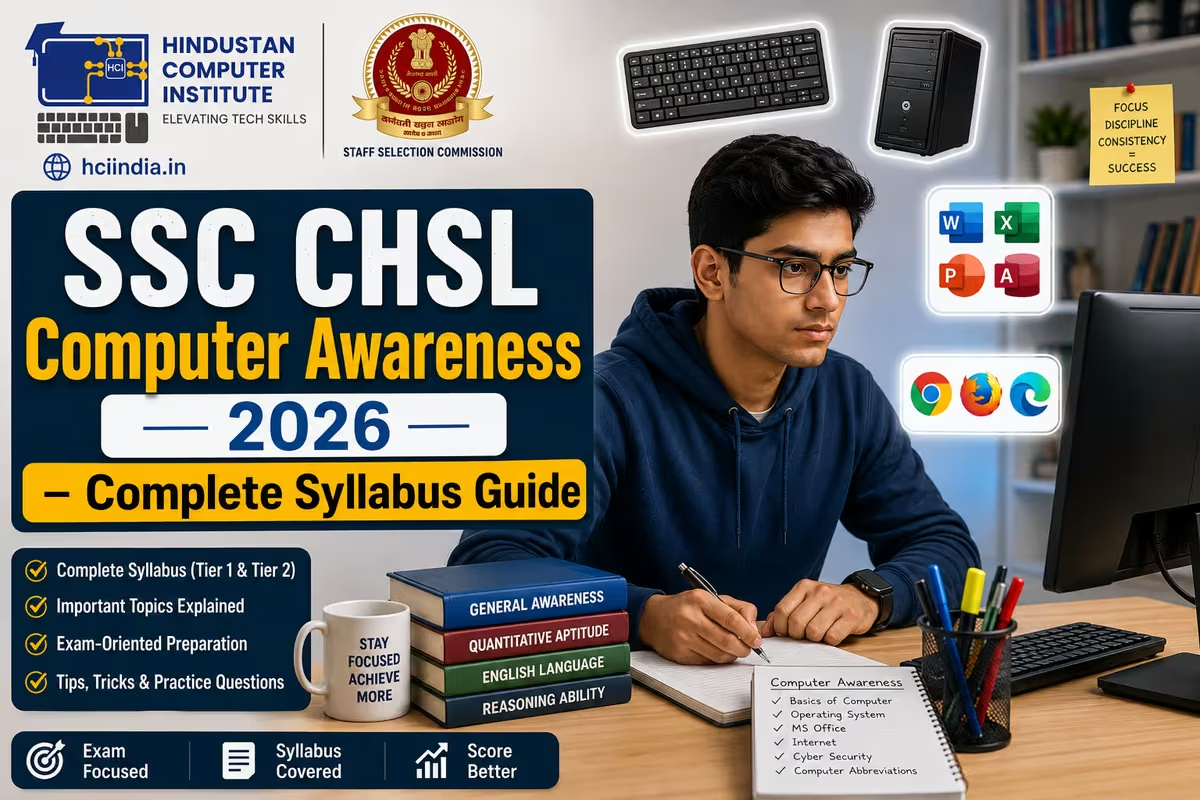
SSC CHSL computer awareness covers the basics of hardware, software, MS Office, operating systems, internet, and networking - tested in the Tier 2 Computer Knowledge module. The Tier 2 exam also includes a mandatory typing/skill test. This guide breaks down every topic in the 2026 syllabus, explains what actually gets asked in the exam, and tells you the fastest way to prepare without running through five different textbooks.
SSC CHSL Exam Structure: Where Computer Awareness Fits
A lot of students search for "SSC CHSL computer syllabus" and land on content that mixes up Tier 1 and Tier 2. Let's be clear about which tier actually tests computer knowledge and which one does not.
Tier 1 is a 100-question online test covering General Intelligence & Reasoning, English Language, Quantitative Aptitude, and General Awareness. There is no dedicated computer section here - but General Awareness sometimes includes basic computer-related questions mixed in. Each question carries 2 marks; wrong answers cost 0.5 marks. The exam runs for 60 minutes.
Here is the part most students miss: Tier 1 marks do not count toward your final merit list. Tier 1 is only a qualifying round. Your final job placement depends entirely on how you score in Tier 2.
Tier 2 is where computer knowledge becomes a separate, graded section. It is conducted on the same day in two sessions. Session I covers three sections including the Computer Knowledge Test (Module 1 of Section 3). Session II is the Skill Test / Typing Test (Module 2 of Section 3). Both are mandatory - miss either and you cannot be selected.
SSC CHSL Tier 2 Exam Pattern at a Glance
| Section | Module | Subject | Questions / Marks |
|---|---|---|---|
| Section 1 | Module I | Mathematical Abilities | 30 Qs / 90 marks |
| Section 1 | Module II | Reasoning & General Intelligence | 30 Qs / 90 marks |
| Section 2 | Module I | English Language & Comprehension | 40 Qs / 120 marks |
| Section 2 | Module II | General Awareness | 20 Qs / 60 marks |
| Section 3 | Module I | Computer Knowledge Test | 15 Qs / 45 marks |
| Section 3 | Module II | Skill Test / Typing Test | Qualifying only - no marks |
Negative marking in Sections 1, 2, and Module I of Section 3 is 1 mark per wrong answer - heavier than Tier 1's 0.5. The skill test carries no marks but is mandatory to clear. Fail it and you are disqualified, regardless of your written score.
The total Tier 2 paper runs to 135 objective questions across three sections.
SSC CHSL Computer Awareness Syllabus: Topic-Wise Breakdown
The Computer Knowledge Test in Tier 2 has 15 questions for 45 marks. The difficulty level is aligned with Class 10, which sounds simple - but these questions trip students who have never formally studied computer basics. The official syllabus covers six topic areas:Topic Area What Gets Asked Weightage (Approx.) Basics of Computers CPU, RAM, ROM, storage types, generations of computers, classification (analog, digital, hybrid) 2–3 questions Hardware & Software Input/output devices, primary and secondary memory, types of software (system, application, utility), file extensions 2–3 questions Operating Systems Functions of an OS, types (Windows, Linux, macOS), GUI vs CLI, keyboard shortcuts in Windows 2 questions MS Office Suite MS Word (formatting, shortcuts, mail merge), MS Excel (formulas, functions, cell references, charts), PowerPoint (slide views, transitions) 3–4 questions Internet & Networking Types of networks (LAN, WAN, MAN), browsers, URL structure, protocols (HTTP, FTP, SMTP), IP addresses, search engines 2–3 questions Cybersecurity Basics Viruses, worms, trojans, spyware, firewalls, antivirus, phishing, encryption basics 1–2 questions
MS Office carries the highest practical weightage. Students who work in MS Word and MS Excel regularly - not just read about them - score better in this section. The shortcut keys are asked every year without fail. Ctrl+Z, Ctrl+S, Ctrl+C, Alt+F4 are starting points; the exam goes deeper into application-specific shortcuts.
Preparing for SSC CHSL computer section?
HCI's ADCA course covers every topic in the SSC CHSL computer syllabus - hardware basics, MS Office 2021, internet, networking, and cybersecurity - with daily hands-on lab sessions. Over 2,500 students trained across J&K and Punjab. ISO 9001:2015 certified.
SSC CHSL Typing Test: Speed Requirements and What the Skill Test Checks
The Skill Test / Typing Test in Session II of Tier 2 is qualifying in nature - it does not add marks to your score, but failing it ends your candidacy. This is the most underestimated part of the SSC CHSL exam. Many students put all their energy into the written paper and then get eliminated in the typing round.
Post-wise speed requirements are:Post Test Type Speed Requirement Test Duration LDC / JSA (Lower Division Clerk / Junior Secretariat Assistant) Typing Test English: 35 wpm OR Hindi: 30 wpm 10 minutes PA / SA (Postal Assistant / Sorting Assistant) Skill Test (Data Entry) English: 35 wpm OR Hindi: 30 wpm 10 minutes DEO (Data Entry Operator) Data Entry Skill Test 8,000 key depressions per hour 15 minutes DEO (Office of C&AG) Data Entry Skill Test 15,000 key depressions per hour 15 minutes
Errors in the skill test are calculated to two decimal places. There is no negative marking here, but excessive errors will eliminate you just as surely as being too slow. A good rule of thumb: practice to reach 20% above the required speed. If the test needs 35 wpm, aim for 42 wpm in daily practice - because exam-day nerves always cost you a few words per minute.
Students who enroll in HCI's Professional Typing course build both English and Hindi touch-typing skills through structured speed-building sessions, which directly maps to this qualifying requirement.
Topic-Wise Preparation Strategy for SSC CHSL Computer Awareness
Fifteen questions sounds like a small section. It is not, when you factor in the 1-mark negative marking - three wrong answers erase the benefit of five correct ones. Prepare it with focus, not as an afterthought in the last week.
MS Office first - and actually use it. It consistently accounts for the largest share of computer questions across SSC exams. Reading about MS Word features from a PDF is not the same as using them. Open MS Word 2021, MS Excel, and PowerPoint and work in them. Learn what each ribbon tab contains. Practice shortcut keys daily: formatting shortcuts in Word, SUM/AVERAGE/VLOOKUP in Excel, slide view options in PowerPoint. The difference between a student who has used VLOOKUP and one who has only read about it shows up clearly in exam answers.
Hardware and memory - learn the numbers. How many bits in a byte? (8.) How many bytes in a kilobyte? (1,024.) What is the difference between RAM and ROM? What does a GPU do? These are fact-based questions. They require memorisation, not deep understanding. Keep a one-page reference sheet for hardware facts and review it every few days. Three weeks of this and it sticks.
Internet and networking - know your protocols. HTTP vs HTTPS, FTP, SMTP, POP3, IMAP, IP address structure, what DNS does, how a browser resolves a URL - these come up every year. You do not need to understand the underlying technology in detail. You need to know what each abbreviation stands for and what it is used for. That distinction gets you marks quickly.
Keyboard shortcuts deserve their own list. SSC CHSL questions go beyond Ctrl+C and Ctrl+V. What does Ctrl+Home do in Word? What does F5 do in PowerPoint? What does Alt+Enter do in Excel? Build a 30-shortcut list across Word, Excel, and Windows. Memorise it in the final two weeks before the exam - not earlier, or it starts to blur.
Cybersecurity basics - vocabulary-level preparation is enough. Know the difference between a virus and a worm. Know what a Trojan does, what phishing is, what a firewall protects against, and what encryption means in plain terms. Two questions in the paper, worth 6 marks. This is one topic where an hour of focused reading genuinely covers what the exam asks. Do not over-prepare it at the cost of MS Office time.
How General Awareness Computer Questions Differ in Tier 1
Tier 1 does not have a dedicated computer section, but the General Awareness paper sometimes includes 1–3 computer-related questions mixed with science, history, and current affairs. These tend to be definition-style: what does CPU stand for, who invented the internet, what is an algorithm. They are not drawn from a separate syllabus - they come from general science and technology awareness.
The preparation for Tier 2 Computer Knowledge automatically covers what appears in Tier 1's General Awareness. There is no need to prepare separately for Tier 1 computer questions - focus on Tier 2 and the Tier 1 questions take care of themselves.
Why Formal Computer Training Makes a Difference for SSC CHSL
Students who prepare purely from YouTube videos and PDFs often hit the same wall: they recognise all the topics but cannot recall specific facts under pressure. The shortcut keys blur together. Protocol names become interchangeable. MS Excel functions that seemed clear in a video vanish when the question is phrased differently.
Students in HCI's ADCA course spend 12 months working with MS Office 2021, internet tools, hardware concepts, and networking basics in a structured lab environment. By the time they sit for an SSC exam, the shortcut for mail merge in Word is not something they have to remember - it is something they have done forty times. That repetition is what converts a 9/15 score into a 13/15 score in the computer section.
HCI is ISO 9001:2015 certified, MSME registered, and has trained 2,500+ students across Billawar, Kathua, Jammu, and beyond. Students from J&K and border districts of Punjab regularly join our batches, including online learners preparing for national-level government exams. If you are in Billawar, Samba, Kathua, or the Pathankot belt, physical classroom access is available - which makes a real difference when you need daily typing practice on an actual keyboard.
For students targeting accounting-focused government posts - or the CHSL DEO role specifically - combining the ADCA with the ADFA course builds both the computer knowledge and the data entry accuracy that the DEO skill test demands.
Start Your SSC CHSL Preparation the Right Way
The computer awareness section in SSC CHSL Tier 2 is 45 marks with 1-mark negative marking - meaningful enough to decide whether you clear or miss the cutoff. Pair that with the mandatory typing skill test, and it becomes clear that students who have spent real time with a keyboard and MS Office have a genuine edge over those who have only read about it.
At HCI, we have watched students from J&K and Punjab clear SSC CHSL and similar government exams after building their foundations properly. The computer section is learnable - faster than people assume, once you stop reading about software and start using it. The typing test is the real place to invest time early, because speed does not come from notes. It comes from repetition on a keyboard.
Thinking about building your computer skills for SSC CHSL?
👉 Book a free counselling session - our counsellors will map out which course fits your timeline, whether you need full ADCA training or a focused computer + typing module. No pressure, no sales pitch.
You can also browse all HCI courses to find what matches your preparation plan.
Author: Dinesh Sharma, Founder & CEO, Hindustan Computer Institute (HCI), Billawar
Last Updated: June 2026